
Choosing the best smart plugs for refrigerator use requires more than checking whether an app can switch power remotely. The key split is between straightforward scheduling and Matter-enabled control, especially for households that want local operation or energy information.

Pros
- Matter support across major smart home platforms
- Compact design helps preserve nearby outlet access
- UL certified flame-retardant design
- Scheduling, timers, app, and voice control
Cons
- 2.4 GHz Wi-Fi only
- Limited to 15A/1800W maximum
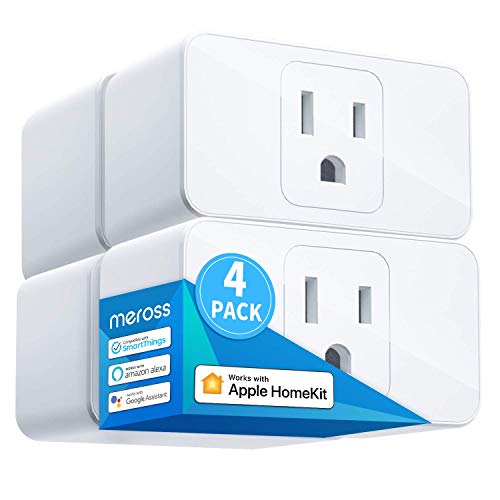
Pros
- Apple HomeKit, Alexa, Google Assistant compatible
- 15A capacity for appliances up to 1800W
- Compact design leaves room for two plugs
- Scheduling supports sunrise and sunset settings
Cons
- HomeKit remote control needs an online bridge
- Requires a 2.4GHz Wi-Fi network

Pros
- Apple HomeKit and Siri support
- Works with Alexa, Google Assistant, SmartThings
- Compact design preserves the adjacent outlet
- UL certified flame-retardant design
Cons
- 2.4GHz Wi-Fi only
- HomeKit remote control needs an Apple device

Pros
- Matter support for Apple Home, Alexa, Google Home
- Energy monitoring tracks usage over time
- Compact design helps preserve adjacent outlet space
- UL-certified flame-retardant design and 2-year warranty
Cons
- Requires 2.4GHz Wi-Fi
- 15A/1800W maximum load

Pros
- Matter support across major smart-home platforms
- 15A/1800W capacity for household electronics
- Remote control, timers, and scheduling
- FCC certified with overload protection
Cons
- Hub required for most listed platforms
- 2.4GHz Wi-Fi and IPv6 network only

Pros
- Matter support for major smart home platforms
- 15A/1800W capacity
- Remote app control from anywhere
- Voice control with Siri and Alexa
- Timers and schedules for automation
Cons
- Requires 2.4GHz Wi-Fi and IPv6
- Hub required for most Matter platforms
Match the Plug to the Refrigerator Circuit
All six products are rated for appliances up to 15A and 1800W, but that rating is a limit, not a reason to ignore the refrigerator’s own requirements. Check the appliance label and the outlet arrangement before connecting anything. A compact body is useful when the refrigerator shares a wall outlet with another device.
Do not use a smart plug as a substitute for an appropriate grounded outlet, extension cord, or electrical repair. The plug should remain accessible, and its connection should not be placed where condensation, spills, or heat can reach it. For broader household protection, the Smart Sensors & Home Automation category covers related automation equipment.
Before You Connect It: A smart plug should not be connected through an overloaded outlet or used to correct a damaged cord, loose receptacle, or unsuitable extension lead.
Matter, Wi-Fi, and Local Control
Matter is the main platform distinction in this group. The Matter models support Apple Home, Alexa, Google Home, and Samsung SmartThings, while local-network communication can continue between Matter devices when the internet is unavailable. Linkind requires a Matter-certified hub or controller for those platforms, although its AiDot app can operate without one.
The Tapo Matter model adds Bluetooth onboarding and uses 2.4GHz Wi-Fi only. Kasa combines Matter compatibility with energy monitoring, while the meross model offers Apple HomeKit, Alexa, Google Assistant, SmartThings, and offline control. If your home already uses Apple devices, the HomeKit device ecosystem may help you keep controls in one app.
| Control approach | Key distinction | Best fit |
|---|---|---|
| Matter | Local LAN control | Multi-platform homes |
| HomeKit | Apple ecosystem | Siri households |
| App control | Remote scheduling | Simple automation |
Energy Information and Scheduling
Scheduling can turn a connected appliance on or off according to a routine, but a refrigerator is not the same as a lamp or fan. Avoid schedules that could interrupt cooling for long periods. Remote control is more useful for checking or restoring the plug’s state than for repeatedly cycling the appliance.
Kasa’s energy monitoring is the clearest choice if you want consumption information over time. The other models focus on remote control, voice commands, timers, or schedules. For related household alerts, consider pairing your automation planning with information about Wi-Fi smoke and carbon monoxide detectors.
Expert Examined
From Marcus Bell

I keep the plug and its outlet easy to reach rather than hiding both behind an appliance. The mistake I see is treating a remote switch as permission to make frequent power changes, so I would use automation sparingly and preserve normal refrigerator operation.
Read more about Marcus BellCertification and Setup Details
UL certification appears on the Tapo and Kasa products, while the meross and Linkind options list ETL certification. These markings indicate that the products have been evaluated under applicable safety requirements, but they do not remove the need to respect the 15A and 1800W limits. UL Solutions provides consumer information about product safety and certification.
Setup requirements vary. Tapo offers Bluetooth onboarding, while Matter models may need a compatible controller depending on the platform you choose. Linkind also specifies 2.4GHz Wi-Fi and IPv6 support, so confirm your network meets those requirements before placing the plug behind a hard-to-reach appliance.
FYI: Matter does not mean every setup is hub-free. The required controller depends on the platform, while some products also provide app-based control.
Which One Fits Your Kitchen
I would point a multi-platform household to the TP-Link Tapo Matter Supported Smart Plug Mini when compact sizing, Matter compatibility, and simple Bluetooth onboarding matter most. Its UL-certified flame-retardant design and 15A/1800W rating align with buyers who want a small plug for a crowded outlet.
I would choose the Kasa Matter Smart Plug with Energy Monitoring for someone who specifically wants consumption information alongside Matter control. For an Apple-centered home that does not need energy monitoring, the Tapo Apple HomeKit Smart Plug Mini, 15A offers Siri support, compact construction, scheduling, and Bluetooth onboarding.
The Bottom Line
The most common mistake is treating a smart plug’s remote switch as a refrigerator control strategy. The important checks are the appliance’s electrical requirements, the plug’s 15A/1800W limit, outlet condition, and whether the chosen platform needs a Matter controller.
If you only do one thing first, inspect the refrigerator label and the outlet location before choosing a model. Then select Matter for cross-platform and local-network control, or choose a HomeKit-focused option when Siri integration is the priority.
FAQs
A smart plug may be suitable only when its electrical rating matches the appliance and the outlet is appropriate. Check the refrigerator label, use a sound receptacle, and avoid schedules that interrupt cooling for extended periods. Matter platform control may require a compatible controller such as a HomePod, Echo Dot, Nest device, or SmartThings Hub. Some products also offer app control without that hub, so setup depends on the platform you select. Matter devices configured on the local network can communicate locally when the internet is unavailable. Remote control from outside the home may still depend on the platform, controller, and network connection. UL and ETL are safety certification marks associated with evaluation against applicable requirements. They do not increase the plug’s capacity or make an unsuitable outlet safe, so follow the stated rating and installation precautions.Can I use a smart plug with a refrigerator?
Do Matter smart plugs need a hub?
Do these smart plugs work during an internet outage?
What do UL and ETL certification mean?
Sources
- UL Solutions and Product Safety. www.ul.com
- US Consumer Product Safety Commission and Electrical Safety. www.cpsc.gov