
Choosing among the best smart plugs for microwave means checking the appliance’s electrical demand before prioritizing app features. The key split is whether you need simple scheduled control, broad Matter compatibility, or energy information, making this useful for anyone replacing an outlet accessory in a busy kitchen.

Pros
- Matter support across major smart home platforms
- Compact design helps preserve nearby outlet access
- UL certified flame-retardant design
- Scheduling, timers, app, and voice control
Cons
- 2.4 GHz Wi-Fi only
- Limited to 15A/1800W maximum
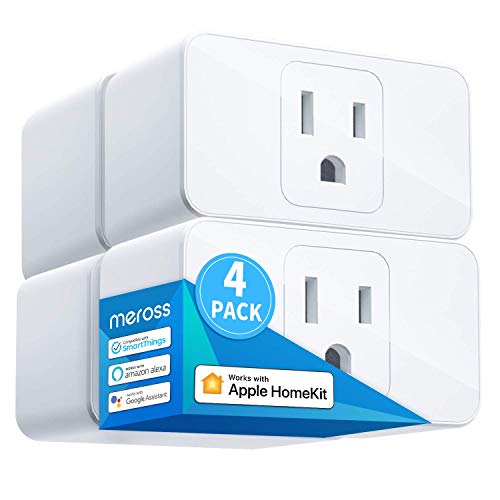
Pros
- Apple HomeKit, Alexa, Google Assistant compatible
- 15A capacity for appliances up to 1800W
- Compact design leaves room for two plugs
- Scheduling supports sunrise and sunset settings
Cons
- HomeKit remote control needs an online bridge
- Requires a 2.4GHz Wi-Fi network

Pros
- Apple HomeKit and Siri support
- Works with Alexa, Google Assistant, SmartThings
- Compact design preserves the adjacent outlet
- UL certified flame-retardant design
Cons
- 2.4GHz Wi-Fi only
- HomeKit remote control needs an Apple device

Pros
- Matter support for Apple Home, Alexa, Google Home
- Energy monitoring tracks usage over time
- Compact design helps preserve adjacent outlet space
- UL-certified flame-retardant design and 2-year warranty
Cons
- Requires 2.4GHz Wi-Fi
- 15A/1800W maximum load

Pros
- Matter support across major smart-home platforms
- 15A/1800W capacity for household electronics
- Remote control, timers, and scheduling
- FCC certified with overload protection
Cons
- Hub required for most listed platforms
- 2.4GHz Wi-Fi and IPv6 network only

Pros
- Matter support for major smart home platforms
- 15A/1800W capacity
- Remote app control from anywhere
- Voice control with Siri and Alexa
- Timers and schedules for automation
Cons
- Requires 2.4GHz Wi-Fi and IPv6
- Hub required for most Matter platforms
Start with the Microwave’s Electrical Load
Every model in this comparison is rated for 15A and 1800W, but that does not automatically make every microwave setup appropriate. Check the microwave’s label and manual, then compare its stated electrical requirements with the plug’s rating before connecting it.
A microwave can also be a poor match for automation if you expect a smart plug to control cooking directly. A plug can provide on and off control, scheduling, and remote operation where supported, but it does not replace the appliance’s own controls or safety instructions.
Before You Connect It: Do not rely on a smart plug rating alone. Confirm the microwave’s electrical requirements and follow the appliance manufacturer’s instructions before use.
Choose Control That Matches Your Home
Matter is the broadest compatibility option in this group. The TP-Link Tapo Matter Supported Smart Plug Mini, Kasa Matter Smart Plug with Energy Monitoring, and both Linkind models work with certified platforms such as Apple Home, Alexa, Google Home, and Samsung SmartThings, although Linkind specifies that a Matter controller is required for several of those platforms.
If your home is centered on Apple devices, the meross Smart Plug 15A, Works with Apple Home and Tapo Apple HomeKit Smart Plug Mini, 15A offer HomeKit support. The meross model requires a HomePod, Apple TV, or iPad for HomeKit remote control, while the Tapo model also requires an additional networked Apple device for remote control. Apple users may also find useful ideas in these HomeKit device recommendations.
| Control type | Key requirement | Best fit |
|---|---|---|
| Matter | Certified controller may apply | Mixed platforms |
| Apple Home | Apple home hub for remote access | Apple households |
| App control | 2.4GHz Wi-Fi | Simple scheduling |
Account for Wi-Fi, Space, and Monitoring
All six products use 2.4GHz Wi-Fi, so confirm that your setup can connect on that band. The compact designs are useful behind a countertop appliance because they are intended to avoid blocking an additional outlet, but you should still leave the plug and cord arranged without strain.
The Kasa Matter Smart Plug with Energy Monitoring is the clearest choice if you want consumption information over time. The other options focus on app control, voice commands, schedules, or timers rather than listing energy monitoring as a feature.
For broader home automation planning, the site’s smart sensors and home automation resources can help you think about how the plug fits alongside other devices.
Expert Examined
From Marcus Bell

I keep the control accessory away from heat, steam, and crowded cable bundles whenever possible. The mistake I see is choosing a compact plug and then hiding it where its button, indicator, or connection cannot be reached, so leave a clear path for inspection and reset access.
Read more about Marcus BellCheck Certification and Offline Behavior
Certification is useful context, but it does not tell you whether a particular microwave is compatible with the accessory. The Tapo models and Kasa model are UL certified, while meross and Linkind identify ETL certification. Linkind also describes fire-resistant materials and protection against short circuits and overloads.
Matter models can communicate over the local network when the internet is offline after setup, according to their listed features. That is different from remote control while you are away, which depends on the relevant platform, network, app, or controller. UL Solutions explains the role of product safety certification, while broader appliance safety guidance is available from the US Consumer Product Safety Commission.
Pro Tip: Before finalizing your choice, confirm the microwave rating, your available 2.4GHz Wi-Fi connection, and whether your preferred smart-home platform needs a hub.
Which One Fits Your Kitchen
I would point Apple households toward the meross Smart Plug 15A, Works with Apple Home when HomeKit compatibility and compact sizing matter. Its listed voice support includes Siri, Apple Watch, CarPlay, Alexa, and Google Assistant, while its schedule feature adds automatic on and off control.
I would choose the Kasa Matter Smart Plug with Energy Monitoring for a household that wants Matter across platforms and a clearer view of energy use. Its compact 15A/1800W design, UL certification, and local Matter control make it the most feature-focused option in this set.
For a mixed-platform home that wants straightforward setup, I would consider the TP-Link Tapo Matter Supported Smart Plug Mini. Bluetooth onboarding, Matter support, voice control, scheduling, and its compact UL certified design make it a sensible fit when you want fewer platform restrictions.
The Bottom Line
The biggest mistake is treating a 15A/1800W label as proof that a smart plug suits every microwave. The appliance’s own electrical requirements and instructions still decide whether the connection is appropriate.
If you only do one thing first, read the microwave label and manual before choosing between Matter, HomeKit, energy monitoring, or a multipack. Then select the plug whose platform and controller requirements match your home.
FAQs
A smart plug should only be used after you check the microwave’s stated electrical requirements and instructions. The products listed here are rated at 15A and 1800W, but that rating alone does not confirm compatibility with every appliance. The meross Smart Plug 15A, Works with Apple Home and Tapo Apple HomeKit Smart Plug Mini, 15A both list Apple HomeKit support. Remote control requires an additional networked Apple device such as a HomePod, Apple TV, or iPad. Matter models list local network control after setup, allowing compatible Matter devices to communicate when home internet is offline. Remote control from outside the home is a separate function and depends on the platform and network connection. UL and ETL are certification marks associated with safety and quality evaluation. They do not confirm that a specific microwave is suitable for a particular smart plug, so appliance requirements still need to be checked.Can I use a smart plug with any microwave?
Which smart plug type suits an Apple Home kitchen?
Do these smart plugs work if the internet goes down?
What does UL or ETL certification mean here?
Sources
- UL Solutions www.ul.com
- US Consumer Product Safety Commission www.cpsc.gov