
Choosing the best professional security camera systems often creates a dilemma between simple setup and deep analytical capabilities. Most owners find that the physical architecture, specifically how power and data travel to the cameras, dictates the overall reliability of the perimeter. While wireless options exist, hardwired solutions remain the standard for properties requiring consistent video feeds without signal interference.

Pros
- 4K 8MP resolution with dedicated person and vehicle detection
- Pre-installed 2TB hard drive supports 24/7 continuous recording
- PoE connection runs power and video over single 330-foot cables
- NVR storage expands up to 16TB across two drives
Cons
- Wired PoE design requires running physical Ethernet cables
- Includes only four cameras for the eight-channel system

Pros
- 4K commercial-grade video recording
- Eight-channel PoE camera deployment
- 2TB hard drive for 24/7 recording
- Person and vehicle detection
- HDMI and VGA viewing outputs
Cons
- Limited to eight camera channels
- 2TB storage may limit video history

Pros
- 2K+ resolution with Color Night Vision
- Smart AI detects faces, people, and vehicles
- Red and blue deterrence lights
- IP67 weatherproof outdoor housing
Cons
- Requires a compatible U-Series NVR
- Cables are not included

Pros
- Eight 3MP PoE cameras included
- IP67 weather rating down to minus 22 degrees
- Color night vision up to 66 feet
- Smart human and vehicle motion detection
Cons
- No hard drive included for video storage
- HDMI output limited to 1080p resolution
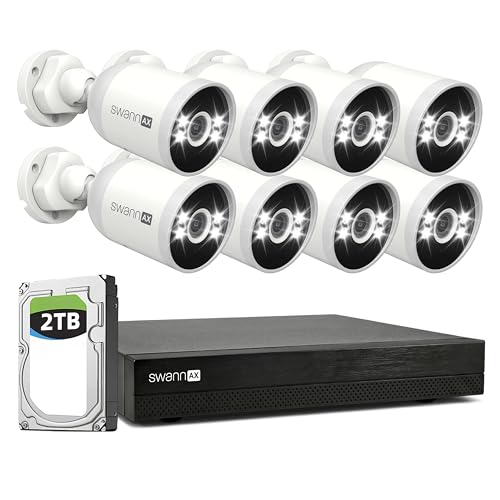
Pros
- Eight 4K cameras with color night vision
- Wired PoE connection operates without Wi-Fi
- Included 2TB NVR records 24/7 footage locally
- Smart analytics detect people, vehicles, and sounds
- Pre-recording captures seconds before motion starts
Cons
- Requires running physical cables to each camera
- Includes eight cameras for a sixteen channel unit

Pros
- Pre-installed 4TB hard drive, expandable to 20TB
- 4K ultra HD resolution with 132-degree field of view
- Color night vision detection up to 100 feet away
- Built-in person and vehicle AI recognition with strobe sirens
Cons
- Requires running Ethernet cables to every camera location
- Includes only eight cameras for the 16-channel recorder
Understanding Power over Ethernet Requirements
Most professional setups rely on PoE technology, which sends power and data through a single network cable. This simplifies installation because you do not need to locate a power outlet near every camera mounting point. Before starting, check your NVR to ensure it has enough channels to support your planned layout.
Wiring distance is the most common constraint during the initial phase. Standard cables typically function well up to 330 feet, but routing these wires through finished walls often requires professional-grade cable fish tape or specialized conduit. Always plan your home safety strategy by marking the corners of your property where visibility overlaps to avoid blind spots.
| System Type | Power Method | Storage Focus |
|---|---|---|
| PoE Kit | Single Cable | NVR Local Drive |
| Wi-Fi System | Individual Adapters | Cloud or Local |
| Analog DVR | BNC Cables | DVR Local Drive |
Evaluating Storage and Recording Cycles
Continuous recording requires substantial hard drive space, especially when shooting in high resolution like 4K. A 2TB drive fills up quickly if the system records 24/7 across multiple channels, so prioritize systems that support expandable storage or internal bays for high-capacity hard drives. I often see people run out of footage during critical incidents because they underestimated how quickly high-bitrate video consumes storage space.
Expert Examined
From Marcus Bell

I prefer using enterprise-rated hard drives inside my NVR because they handle the constant write load better than standard desktop drives. The mistake I see most often is using an old drive that lacks the endurance for 24/7 operation, which inevitably leads to data loss when you need it most.
Read more about Marcus BellBefore You Mount It: Ensure your cameras are protected from direct moisture by using weatherproof junction boxes. Even with an IP67 rating, exposing the delicate connection point where the cable meets the camera can lead to corrosion over time.
Advanced Detection and Privacy Features
Modern surveillance relies on smart analytics to filter out noise, such as tree movement or shifting shadows. By utilizing person and vehicle detection, you can set your security cameras to alert you only when a genuine human or vehicle enters your property. This reduces the frequency of false alerts that often cause users to ignore their notifications entirely.
FYI: Line crossing detection allows you to draw virtual zones on your monitor. If someone enters these zones, the system triggers an alert, which is ideal for monitoring driveways or specific service doors.
The Bottom Line
Many homeowners make the mistake of selecting a system based on camera count rather than recording quality or NVR expansion potential. Always check if your chosen system allows for additional storage before finalized installation to avoid future hardware upgrades.
Start by mapping out the exact coverage zones you need to secure, then select a system that supports that number of cameras plus at least two spare channels for future growth. This ensures your investment remains relevant as your security needs evolve.
FAQs
Do I need professional installation for a PoE system?
While not strictly required, installing cables through walls often benefits from professional tools. If your home already has accessible attic or crawlspace access, you can manage the setup yourself by following local building codes.
What is the difference between 2K and 4K resolution in cameras?
4K resolution offers double the horizontal pixel count of 2K, providing significantly more detail when you need to digitally zoom in on a license plate or face. Higher resolution cameras generally require more storage space and better processing power from the NVR.
Can I mix different camera brands with my NVR?
While most systems are designed for proprietary compatibility, some NVRs support ONVIF protocols. However, you often lose advanced features like smart analytics when mixing brands, so sticking to one manufacturer usually ensures the most stable performance.
What happens to my security footage during a power outage?
Unless your NVR and cameras are connected to an uninterruptible power supply, they will stop recording when the power cuts. Professional systems often rely on dedicated local power backups to keep recording during electrical disturbances.
Sources
- National Fire Protection Association – Safety Standards www.nfpa.org
- UL Solutions – Product Safety Testing www.ul.com