
Shopping for the best grade 1 smart locks means deciding whether your household values simple keypad access, biometric entry, remote control, or a traditional mortise case. The right choice depends on your door preparation, daily users, and how you want the lock to behave when power or Wi-Fi is unavailable.

Pros
- ANSI Grade 1 mortise lock case
- 1,000,000-cycle life rating
- Reversible stainless steel lever handle
- Includes cylinder, thumbturn, and strike
Cons
- Better suited to new doors than replacements
- Fits 45mm to 50mm door thickness

Pros
- Fast palm vein recognition in 0.6 seconds
- BHMA Grade 1 deadbolt certification
- 2K HD camera with 150-degree view
- 16GB built-in local storage
Cons
- Camera streams unavailable through Matter
- Not compatible with HomeBase 2

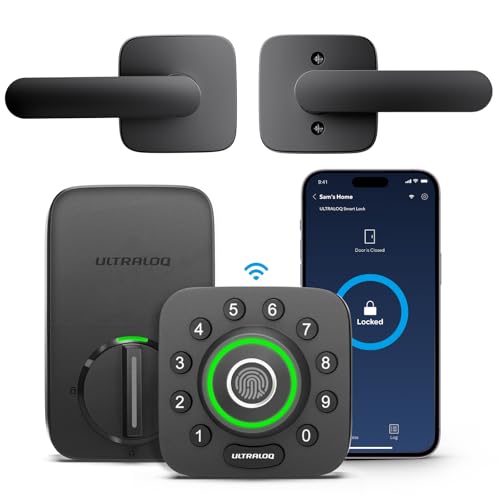
Pros
- ANSI Grade 1 security certification
- Five keyless entry methods
- Auto-lock and arrival-based entry
- Backlit keypad with random-digit protection
Cons
- ULTRALOQ Bridge needed for remote access
- 2.4GHz WiFi only

Pros
- 99.9% palm vein recognition accuracy
- Recognition in just 0.6 seconds
- 10,000mAh battery lasts up to 8 months
- Built-in Wi-Fi, no bridge required
Cons
- Rechargeable battery needs periodic charging
- 750mAh backup battery is non-removable
Pros
- AI-powered fingerprint entry
- Built-in Wi-Fi, no extra hub
- ANSI Grade 1 security rating
- Works with Alexa and Google Assistant
Cons
- 2.4GHz Wi-Fi only
- Smartphone app required for remote access
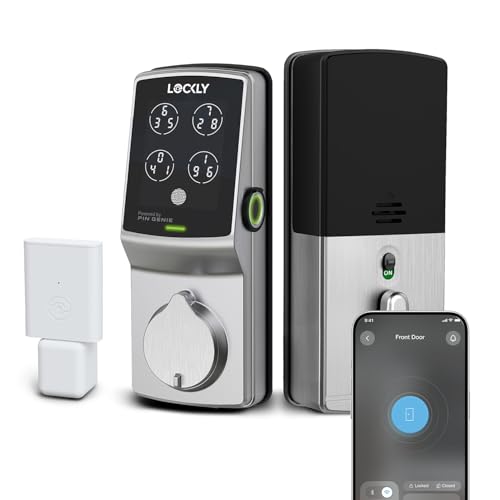
Pros
- ANSI Grade 1 residential security rating
- Fingerprint entry in 0.3 seconds
- Up to 33 PIN codes, no subscription
- Included WiFi hub for remote access
Cons
- Door dimensions need compatibility checking
- Fingerprint profiles cannot transfer via Air Transfer
Start With the Lock Format
A mortise lock is not interchangeable with a standard deadbolt. The deadbolt and door hardware basics matter because the SUMBIN Commercial Mortise Lock Meet Ansi Grade 1 is designed for a mortise case, a reversible latch, and a door thickness between 45 and 50 mm. It is the clearest fit for a new or suitably prepared commercial-style door rather than a quick deadbolt replacement.
The other options use deadbolt-style installation. ULTRALOQ U-Bolt Smart Lock is designed to replace a current deadbolt with a screwdriver, while the ULTRALOQ U-Bolt Pro WiFi Fingerprint Smart Lock also includes a door sensor and built-in Wi-Fi. Lockly Secure Pro Smart Deadbolt Lock with WiFi includes its Secure Link Wi-Fi Hub, so remote access does not require buying that hub separately.
Before You Mount It:
Match Entry Methods to Your Household
Keypads are practical for families, guests, and rentals because access can be shared without handing over a physical key. ULTRALOQ U-Bolt Smart Lock combines a keypad, app, auto unlock, smartwatch access, and two mechanical keys, but remote features away from home require the separately sold ULTRALOQ bridge.
Biometrics reduce keypad use. The ULTRALOQ Pro uses an AI-powered fingerprint reader, while both eufy FamiLock models use palm vein recognition and store the biometric data locally. The eufy Security Video Smart Lock FamiLock S3 Max adds a 2K camera, video doorbell, and rear lock video screen, making it the more appropriate choice for a household that wants front-door visibility as well as entry control.
| Entry style | Distinguishing feature | Best fit |
|---|---|---|
| Keypad and app | Shared codes and logs | Families or rentals |
| Fingerprint or palm | Biometric entry | Frequent daily users |
| Mortise hardware | Integrated lock case | Prepared mortise doors |
For broader context on access risks, read how smart locks can be hacked. App permissions, passcode sharing, and local storage all deserve attention before you connect a lock to a household account.
Plan for Batteries and Connectivity
Battery design is a major separator. The FamiLock S3 Max lists up to four months of functionality and includes four AAA batteries for an additional month of essential operation. The FamiLock E34 lists up to eight months from its rechargeable battery and has an integrated backup battery for outages or primary-battery replacement.
Built-in Wi-Fi is convenient, but it can make network setup part of ownership. The E34 connects without a bridge, the ULTRALOQ Pro connects directly to 2.4GHz Wi-Fi, and Lockly includes a Wi-Fi hub. Lockly also stores offline access codes on the lock, so approved codes can work when the internet is down.
Pro Tip: Keep the mechanical key or an emergency battery plan accessible outside the locked area, but do not leave it in an obvious spot beside the door.
Expert Examined
From Marcus Bell

Smart-home support also varies. The eufy models support Matter and Apple Home, while ULTRALOQ supports Alexa, Google Assistant, SmartThings, and IFTTT. Lockly supports Alexa and Google Assistant, and its local PIN options provide a useful alternative to app-only entry.
Which Lock Fits Your Door and Routine
I would point you to the Smart Locks category when you want to compare access styles, but my specific choices are more situational. For a standard US deadbolt where you want the lowest-complexity path to keypad and app access, I would choose the ULTRALOQ U-Bolt Smart Lock. Its mechanical keys, auto lock, auto unlock, and optional bridge cover the basics without requiring biometric entry.
For a family that wants fingerprint access and remote management without an extra hub, I would choose the ULTRALOQ U-Bolt Pro WiFi Fingerprint Smart Lock. Its door sensor, access alerts, eKey sharing, and direct Wi-Fi connection suit a busy front door. If visitor video matters as much as entry, I would instead choose the eufy Security Video Smart Lock FamiLock S3 Max, especially where the rear screen and local storage are useful for children or older adults.
The Bottom Line
The mistake many buyers make is treating every Grade 1 lock as a direct replacement for every other model. Certification addresses the lock’s security classification, but it does not resolve door preparation, connectivity, battery preferences, or the best entry method for your household.
First, identify whether your door uses a standard deadbolt or a mortise case. Then choose between keypad, fingerprint, palm vein, or video features, and confirm the backup entry and power approach before purchasing.
FAQs
Keypads work well for shared access, guests, and rentals. Fingerprint and palm vein systems reduce code entry, while palm vein models in this selection store biometric data locally. No. Mortise hardware requires a compatible mortise opening and door thickness, while deadbolt models require suitable standard door preparation. Check the manufacturer’s dimensions before ordering. Backup approaches differ by model. The eufy FamiLock S3 Max includes AAA emergency batteries, the E34 includes an integrated backup battery, and Lockly stores offline access codes directly on the lock. ANSI Grade 1 identifies a high residential security and durability classification. It does not guarantee that the lock fits your door or that every smart feature works during a network outage. UL Solutions provides standards information at its official site, https://www.ul.com/.Should I choose a keypad, fingerprint, or palm vein smart lock?
Can a Grade 1 smart lock fit any front door?
What happens if the smart lock loses power or Wi-Fi?
What does ANSI Grade 1 mean for a smart lock?
Sources
- UL Solutions and security standards information. www.ul.com
- National Fire Protection Association and home safety information. www.nfpa.org