
Choosing the best smart thermostats for zoned system starts with matching the control method to your HVAC wiring, not the size of the display. The key split is between systems that control a whole HVAC circuit and devices that manage individual rooms, making this useful for homeowners balancing hot and cold areas.

Pros
- Supports 229+ AC brands and 8,000+ models
- Alexa and Google Home voice control
- Daily schedules and smart automation
- Built-in temperature and humidity sensor
Cons
- Requires Tuya Smart or Smart Life app
- Not a standalone AC or heat pump

Pros
- Works with 120V to 240V electric heating
- Humidity sensor and touchscreen
- Scheduling and geofencing support
- Apple Home, Alexa, and Google compatible
Cons
- Requires a neutral or second live wire
- Limited to electric baseboards and fan-forced heaters

Pros
- Built-in air quality sensor
- Controls compatible AC and mini splits
- Geofencing helps reduce wasted cooling
- Apple HomeKit, Google Home, Alexa support
Cons
- Requires a remote-controlled AC unit
- App and WiFi or Bluetooth setup required
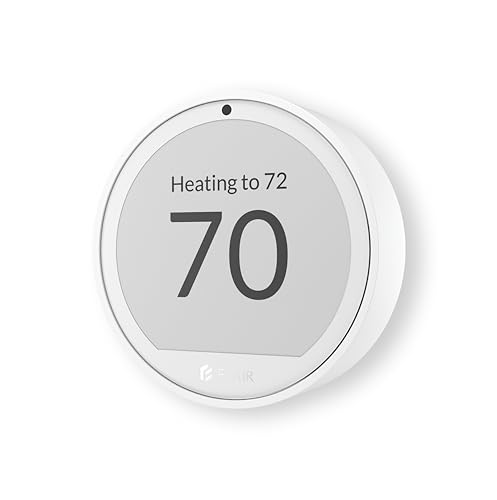
Pros
- Room-by-room temperature and humidity monitoring
- Works with 200+ mini split brands
- Up to 1-year battery life
- Alexa and Google Assistant support
Cons
- Flair Bridge required for central HVAC
- Smart Vents needed for airflow balancing

Pros
- Learns schedules and outdoor temperature effects
- Temperature Sensor included for hot and cold spots
- No C wire required in most homes
- Works with Google Home, Alexa, and Siri
Cons
- C wire may be needed in some homes
- System compatibility varies by heating setup

Pros
- Included SmartSensor manages hot and cold spots
- Built-in air quality monitor with alerts
- Energy STAR certified, saves up to 26%
- Siri, Alexa and Google Home support
Cons
- Smoke alerts require an ecobee security subscription
- Siri requires an Apple home hub
Match the thermostat to your heating system
A thermostat for a 24V central HVAC system is not interchangeable with one for electric baseboards or a remote-controlled mini split. Google Nest Learning Thermostat (4th gen) and ecobee Smart Thermostat Premium – WiFi are aimed at most 24V systems, while Mysa Smart Thermostat V2 for Electric Baseboard is specifically designed for 120V to 240V electric baseboards and fan-forced heaters.
For ductless, portable, or window equipment, an infrared controller is often the better fit. Smart Air Conditioner Controller works with many remote-controlled AC and heat pump models, while Sensibo Air PRO and Flair Puck 2 also focus on mini split and window-unit control.
Check Wiring First:
Use room sensors to make zoning useful
A single hallway temperature reading can leave bedrooms, offices, and sun-facing rooms uncomfortable. ecobee Smart Thermostat Premium – WiFi includes a SmartSensor, and Google Nest Learning Thermostat (4th gen) includes a Nest Temperature Sensor, allowing the system to account for a selected room at a chosen time.
Flair Puck 2 Temperature Sensor & Thermostat takes a different approach for central HVAC. Paired with Flair Smart Vents and a required Flair Bridge, it can monitor temperature and humidity in individual rooms and adjust airflow. That makes it more suitable when the problem is uneven distribution rather than a missing central thermostat.
| Device type | Key control method | Best placement |
|---|---|---|
| Central HVAC | 24V wiring and sensors | Hallway or main room |
| Electric baseboard | 120V to 240V wiring | Each heated zone |
| Mini split or window AC | Infrared remote control | Room being conditioned |
For more context on connected home equipment, the Smart Energy & Climate Control category covers related climate devices and automation options.
Consider installation, power, and automation
Installation requirements vary sharply. Mysa requires a neutral wire or second live wire, while Google says its Nest thermostat works with most 24V systems and usually does not require a C wire. ecobee includes a Power Extender Kit for homes without a C wire, which may simplify replacement planning.
Flair Puck 2 is battery-powered and wireless when used with its Bridge, with battery life of up to one year. Sensibo Air PRO needs no tools and can connect over Wi-Fi or Bluetooth, while the SENCKIT controller uses the Tuya Smart or Smart Life app for scheduling and remote control.
Pro Tip: Before installation, label the existing wires and verify the equipment type in the manufacturer compatibility checker or installation documentation.
Expert Examined
From Marcus Bell

Scheduling and geofencing can reduce unnecessary heating or cooling, but they work best after each zone has a reliable temperature reading. For broader home automation ideas, see these HomeKit-compatible smart home devices.
Which thermostat fits your zoning plan
I would put the Mysa Smart Thermostat V2 for Electric Baseboard in a home where separate rooms use electric baseboards or electric fan-forced heaters. Its line-voltage support, humidity sensor, scheduling, geofencing, and phone control make it the clearest match for that specific electrical setup. Do not substitute it for a standard 24V central HVAC thermostat.
I would point you to ecobee Smart Thermostat Premium – WiFi when a central system has hot or cold spots and you want an included room sensor, air-quality monitoring, and occupancy-based adjustment. Google Nest Learning Thermostat (4th gen) is a strong alternative for a Google Home household that wants a second-generation temperature sensor, learning features, and compatibility with many 24V systems.
For ductless rooms, I would choose Smart Air Conditioner Controller when app scheduling and broad AC compatibility matter most. Flair Puck 2 is more compelling when room-by-room airflow balancing with Smart Vents is the actual goal, although central HVAC use requires its Bridge.
The Bottom Line
The mistake most buyers make is treating every smart thermostat as a universal HVAC controller. Line-voltage baseboards, 24V central systems, and infrared-controlled AC units need different hardware, and room sensors only help when the thermostat or vent system can respond to them.
Start by writing down the equipment type in each zone and checking its wiring or remote-control method. Then choose the product whose stated control system matches that zone before comparing voice assistants, sensors, or scheduling features.
FAQs
A single thermostat may manage a central system, but separate zones often need compatible sensors, dampers, smart vents, or individual controls. Products such as Flair Puck 2 are designed to address room-level temperature differences when paired with the required equipment. Mysa Smart Thermostat V2 for Electric Baseboard supports 120V to 240V electric baseboards and electric fan-forced heaters. It requires a neutral wire or second live wire, so verify the wiring before installation. Place it in the room whose comfort matters most during the scheduled period, away from direct sunlight, drafts, vents, and heat-producing appliances. Follow the sensor maker’s placement guidance for the most useful reading. The answer depends on the HVAC system and model. Google Nest says a C wire is usually not required for most compatible 24V systems, while ecobee includes a Power Extender Kit for homes without one. It describes a common low-voltage control arrangement used by many central heating and cooling systems. It does not mean the thermostat works with 120V or 240V electric baseboards, which require a compatible line-voltage model.Can one smart thermostat control multiple zones?
Which thermostat works with electric baseboard heaters?
Where should I place a room temperature sensor?
Do smart thermostats need a C wire?
What does 24V compatibility mean?
Sources
- U.S. Department of Energy, Home Heating and Cooling www.energy.gov
- Consumer Product Safety Commission, Home Electrical Safety www.cpsc.gov