
Shopping for the best video doorbells with a monitor gets easier once you decide whether a direct monitor connection or smart-home access matters more. Renters, older adults, and households avoiding monthly fees usually need simple indoor viewing, while connected homes may prefer app and lock integration.

Pros
- No WiFi, app, or subscription required
- 4.5-inch IPS indoor monitor
- Full-duplex two-way audio
- Automatic photos and MicroSD video recording
Cons
- Indoor monitor needs continuous USB-C power
- Outdoor unit limited to IP54 protection
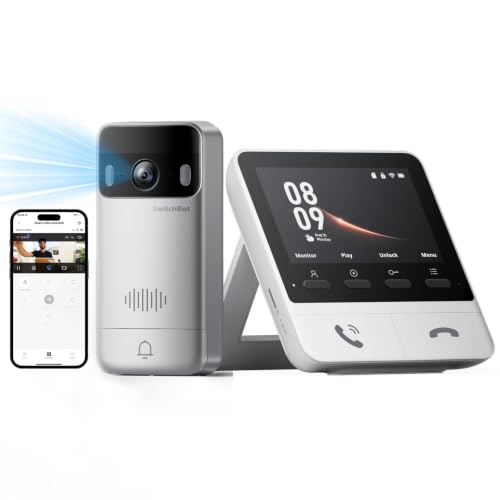
Pros
- 2K video with 165° ultra-wide view
- Color night vision in complete darkness
- 4 GB SD card, no subscription required
- 5,000 mAh wireless outdoor unit
Cons
- Indoor monitor requires a power outlet
- Thick walls can affect range and response
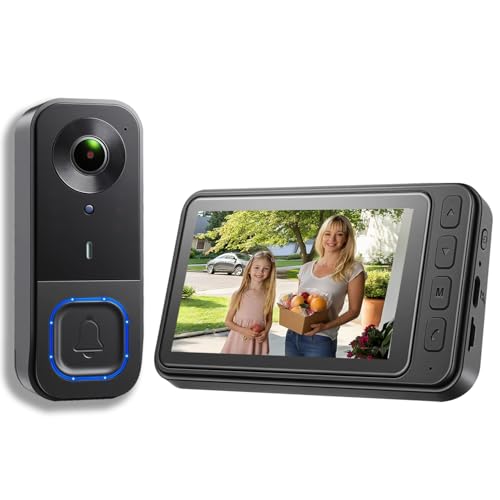
Pros
- 1080p video resolution
- Included monitor screen for live viewing
- Local storage without subscription fees
- 160° view with night vision
Cons
- MicroSD card not included
- No WiFi or app connectivity

Pros
- 2K video with 165° head-to-toe view
- Color night vision for dark entrances
- 4.3-inch monitor with quick response button
- Free 4GB SD card, no subscription
Cons
- Indoor monitor requires a power cable
- Best connection within 5 metres

Pros
- 720P video on a 4.5-inch IPS screen
- Two-way audio without opening the door
- No WiFi, app, or subscription required
- IP54 outdoor protection and IR night vision
Cons
- Indoor monitor should stay connected to charging
- TF card required for local recording, not included

Pros
- No WiFi, app, or subscription required
- 4.3-inch indoor IPS monitor
- 170° wide-angle view with LED lighting
- IP65 outdoor protection
Cons
- Monitor needs to stay plugged in
- Walls and metal doors reduce range
Choose the Connection That Fits Your Home
A direct wireless link keeps the camera and indoor screen communicating without home Wi-Fi, an app, or cloud storage. TKMARS and KALOGL options use this simpler approach, which can suit apartments, homes with unreliable internet, or family members who do not want to operate a phone.
SwitchBot takes a more connected route. Its monitor supports Alexa, and compatible setups can pair with a SwitchBot Smart Lock. However, the monitor and outdoor unit should be kept close, with five meters recommended for faster connectivity, so a distant entryway or thick masonry may require more planning.
Before mounting, place the screen where you will actually answer visitors and check the signal from the proposed camera position. For more help with connection problems, see common doorbell camera disconnection causes.
Pro Tip: Place the monitor near a frequently used room, not hidden beside the router or in a cupboard.
Match the View and Night Image to the Entrance
Viewing angle matters when the camera faces a narrow porch, a package drop area, or a shared hallway. The KALOGL model offers a 160-degree view, the TKMARS wireless model lists 170 degrees, and the SwitchBot models provide a 165-degree ultra-wide view. Wider coverage can reduce blind spots, but the mounting position still determines what appears clearly.
Resolution also varies. The SwitchBot choices provide 2K video and color night vision, while KALOGL and the second TKMARS model provide 1080p. The FUNNYPANDA Doorbell Camera uses 720p video and infrared night vision. Aim the camera to include faces and deliveries without pointing directly into strong porch lighting.
| Connection type | Key feature | Suitable placement |
|---|---|---|
| Direct monitor | No Wi-Fi needed | Apartments and simple setups |
| Smart monitor | Alexa and lock support | Connected homes |
| Local recording | MicroSD or TF storage | Fee-free video access |
Night vision does not remove the need for sensible placement. Avoid mounting behind reflective glass or beside a bright lamp that washes out faces. If the image points too high or low, these doorbell camera angle instructions can help you correct the view.
Before You Mount It: Do not assume wireless means every part runs without power. The SwitchBot indoor monitor requires a power connection, and several other monitors are intended to remain plugged in for everyday use.
Plan Power, Storage, and Weather Exposure
The outdoor units use rechargeable batteries, but listed runtime depends on visitor activity and conditions. TKMARS describes approximately 50 days for one model and up to approximately two months for another, while SwitchBot uses a 5,000 mAh outdoor battery. The FUNNYPANDA model lists approximately 30 to 50 days and includes a smaller emergency-use monitor battery.
Local storage avoids recurring cloud fees, but card requirements differ. TKMARS supports MicroSD cards up to 128 GB in one model, SwitchBot supports cards up to 512 GB and includes a 4 GB card, and the KALOGL model requires a card that is not included. The second TKMARS model records video to an 8 to 32 GB FAT32 TF card and keeps photos internally.
Expert Examined
From Jenna Castellano

I keep seeing households place the monitor where it looks tidy instead of where visitors can be heard. The better approach is to check the doorway from the room where someone is most likely to answer, then confirm the camera still has a clear view before fixing the bracket.
Read more about Jenna CastellanoWeather ratings are not interchangeable. The KALOGL outdoor unit is described as IP54, the FUNNYPANDA unit is IP54, and the second TKMARS model is IP65. Those ratings describe dust and water protection for the outdoor unit, not permission to expose the monitor or charging connection to rain.
For storage hygiene, review whether recording is ring-based and whether older files overwrite automatically. You can also learn about safe doorbell lens cleaning before dust or water spots reduce image clarity.
Which Doorbell Fits Your Household
I would point apartment residents and no-internet households toward the TKMARS Doorbell Camera Wireless No Subscription. Its direct 2.4GHz connection, 4.5-inch screen, two-way audio, night vision, and local recording support a straightforward setup without an app or monthly fee. The listed 16 to 262 foot range still needs to be checked around walls and metal doors.
I would choose the SwitchBot 2K Doorbell Camera with Monitor for a connected household that values sharper video, color night vision, Alexa support, expandable monitors, or compatible Smart Lock control. Its five-meter monitor recommendation makes placement especially important, so it suits a compact entrance better than a far-separated gate and living area.
For a wide entrance view without Wi-Fi, I would consider the KALOGL Video Doorbell Wireless with Screen 1080p. Its 160-degree view, 1080p video, local storage, and two-way audio fit a buyer who wants a screen at home and accepts that the MicroSD card must be supplied separately.
The Bottom Line
The mistake most buyers make is treating every wireless monitor doorbell as if range and power needs are identical. A screen may need continuous power, walls can reduce the connection, and local recording may require a separate card.
If you do only one thing first, temporarily position both units where you plan to use them and check live video, audio, and visitor visibility. Only then choose adhesive or screw mounting, and keep outdoor power connections protected from weather.
FAQs
A wider angle can cover more of a porch or entryway, but placement still controls image quality. A camera aimed at a bright light, reflective surface, or empty wall may provide less useful coverage despite its wider specification.
[q question="How should I maintain the battery and storage?"]Charge the outdoor unit according to its usage needs and keep the monitor connected to power for routine operation where instructed. Check local storage periodically, confirm the correct MicroSD or TF format, and clean the lens gently when dust or water spots appear. The IP rating describes protection against dust and water for the rated unit. It does not mean every component is weatherproof, so keep indoor monitors, charging ports, and exposed connections protected. The International Electrotechnical Commission maintains the IP code system at IEC.org.Is a wider viewing angle always better for a monitor doorbell?
”Does
What does an IP54 or IP65 rating mean?
Sources
- International Electrotechnical Commission, IP Code overview. www.iec.ch
- UL Solutions, Standards and safety information. www.ul.com