
Shopping for the best video doorbells that work with Alexa gets easier once you separate voice control from the real choice: wired continuity or battery flexibility. Renters, busy households, and smart-home owners each need a different balance of installation, storage, and indoor alerts.
Pros
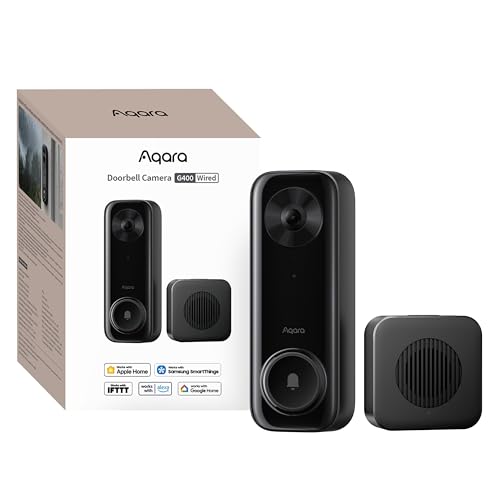
- 2K video with 165-degree head-to-toe view
- Local person and zone intrusion detection
- HomeKit, Alexa, Google, and SmartThings support
- PoE or 8–24V wired power options
Cons
- Requires wired power or PoE installation
- HomeKit needs iCloud+ and an Apple home hub

Pros
- 2K video with 165° head-to-toe view
- Color night vision for dark entrances
- 4.3-inch monitor with quick response button
- Free 4GB SD card, no subscription
Cons
- Indoor monitor requires a power cable
- Best connection within 5 metres

Pros
- Sharp 2K video with Head-to-Toe View
- Continuous power from hardwired connection
- Two-way audio with noise cancellation
- IP65 weather-resistant design
Cons
- Requires existing doorbell wiring
- Person detection requires separate Blink subscription

Pros
- 2K video with 120-degree wide-angle lens
- Night vision reaches up to 33 feet
- Local microSD storage up to 128GB
- No-drill adhesive mounting option
Cons
- 2.4GHz Wi-Fi only, no 5GHz support
- Cloud storage requires a subscription

Pros
- MmWave radar for more accurate human detection
- 2K wide-angle video with 2-way audio
- Built-in Zigbee and Matter hub
- HomeKit Secure Video and major ecosystem support
Cons
- HomeKit limits resolution to 1600×1200
- MicroSD card for local storage not included
Pros
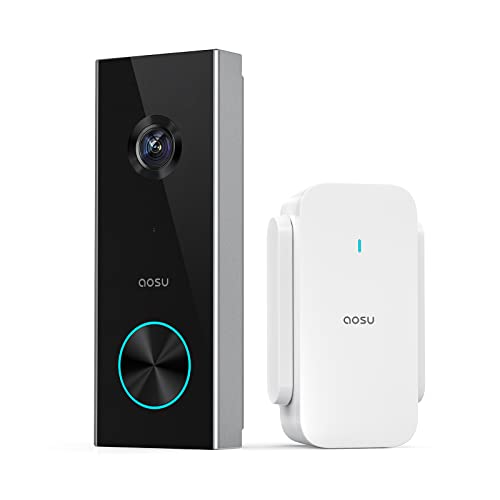
- 2K resolution with 166° ultra-wide view
- AI human detection reduces unnecessary alerts
- Local storage without a subscription
- Two-way talk with quick replies
- Included base adds Wi-Fi and chime
Cons
- 2.4 GHz Wi-Fi only, no 5 GHz support
- MicroSD card sold separately
Start With Power and Indoor Alerts
Hardwired models suit an entry that already has usable doorbell wiring and a stable mounting position. The Aqara Doorbell Camera G400 with Chime, Wired/PoE supports PoE or 8–24V AC/DC wiring, while the Blink Wired Doorbell 2K+ (newest model) is designed for continuous hardwired power. Both avoid routine battery charging, but Blink requires Alexa or a Blink Chime sold separately for in-home alerts.
Battery models make more sense for renters, outbuildings, or doors without wiring. The SwitchBot Video Doorbell Camera pairs its battery-powered exterior unit with a 4.3-inch indoor monitor, while aosu includes a base that provides Wi-Fi coverage, storage, and a chime. Check outlet access for the SwitchBot monitor and keep it within the stated five-meter radius of the doorbell for a smoother connection.
Pro Tip: Choose the power format before comparing image features. A strong camera is less useful if the installation leaves you charging it constantly or without an indoor alert.
Match the View to Your Doorstep
Head-to-toe framing is useful when packages land close to the threshold, while a wide horizontal view helps cover visitors approaching from either side. Aqara G400 and SwitchBot both specify a 165° view, and aosu reaches 166° with a 4:3 aspect ratio. XTU uses a 120° lens, so placement and angle matter more if your entrance is broad.
Mount the camera where faces are visible without pointing directly at a busy sidewalk or a reflective surface. XTU allows motion zones and sensitivity adjustments, and its product information specifically warns that high-traffic areas can drain the battery and create unnecessary alerts. For additional positioning advice, see these instructions on angling a video doorbell down.
| Device type | Key distinction | Best placement |
|---|---|---|
| Wired camera | Continuous power | Existing doorbell wiring |
| Battery camera | Flexible mounting | Door without wiring |
| Indoor monitor | Local visual alert | Homes needing a screen |
Choose Storage and Smart-Home Depth
Local storage reduces dependence on a subscription, but capacity and location differ. SwitchBot includes a 4GB SD card and supports cards up to 512GB, Aqara G400 supports up to 512GB plus SMB-compatible NAS backup, and aosu supports up to 128GB. XTU supports up to 128GB locally but also offers optional cloud storage that requires a subscription.
Alexa support is broader than voice commands alone, so check the rest of your household setup. Aqara G410 adds Matter, Home Assistant support, and a built-in Zigbee and Matter hub, while G400 also supports HomeKit Secure Video, SmartThings, RTSP, and ONVIF. HomeKit users should remember that Aqara lists an iCloud+ plan and Apple home hub as requirements for HomeKit Secure Video. The HomeKit doorbell camera comparison covers that ecosystem choice in more detail.
Privacy features can also affect the decision. G410 keeps face data locally and offers privacy masking, while G400 provides local person recognition and zone intrusion detection. For general camera security guidance, the Cybersecurity and Infrastructure Security Agency offers broader information about connected-device security.
Before You Mount It: Do not assume every indoor chime is interchangeable. Blink requires a compatible Alexa device or Blink Chime for in-home alerts, while other models include a chime or monitor as part of the setup.
Expert Examined
From Ray Okafor

I keep seeing doorbells placed where the lens catches a bright wall or a busy walkway. The better fix is usually a small angle adjustment and narrower motion zones, not simply turning sensitivity to its highest setting.
Read more about Ray OkaforWhich Doorbell Fits Your Entryway
I would point renters and households without existing wiring to the SwitchBot Video Doorbell Camera. Its battery-powered exterior unit, indoor color monitor, local SD storage, and operation without internet make it a practical choice when you want a visible alert inside the home without adding a wired circuit. Keep the monitor close to the doorbell and plan for its power cable.
I would put the Aqara Doorbell Camera G400 with Chime, Wired/PoE at a wired entry where broad vertical coverage and flexible smart-home integration matter. PoE, dual-band Wi-Fi 6, local detection, 24/7 microSD recording, and NAS backup give it a strong fit for owners who want deeper control. For a home built around Matter devices and local face recognition, I would choose the Aqara Smart Doorbell Camera G410 with Chime instead, especially when its built-in hub can simplify other connected devices.
The Bottom Line
The mistake most Alexa shoppers make is treating compatibility as the deciding feature. The more important question is whether your door supports continuous wiring, needs a battery, or benefits from a dedicated indoor screen and local storage.
If you only do one thing first, inspect the existing wiring and measure the distance between the door and your intended indoor alert device. That single check will remove several unsuitable models before you compare resolution, detection, or smart-home features.
FAQs
Wired models provide continuous power and suit doors with usable existing wiring. Wireless models are easier to place where wiring is absent, but battery charging and indoor monitor requirements become part of ownership. Place it so visitors and packages stay within the camera’s view without aiming at a busy walkway. Adjust the angle and motion zones to reduce alerts from passing people, pets, plants, or vehicles. Check the battery before it reaches empty and keep motion zones focused on the approach to your door. A narrow field of activity can reduce unnecessary triggers, while a nearby indoor monitor or chime helps you hear visitors. IP65 indicates protection from dust and water jets, but it does not describe every installation condition. Follow the mounting instructions, protect exposed connections, and avoid assuming the rating makes wiring work safe in wet conditions.Are wired or wireless Alexa doorbells better?
Where should I mount an Alexa video doorbell?
How do I maintain a battery video doorbell?
What does IP65 mean on a video doorbell?
Sources
- UL Solutions and smart home device safety information. www.ul.com
- US Consumer Product Safety Commission and home safety information. www.cpsc.gov