
For the best video doorbells for seniors, the important choice is not the most advanced app but the easiest way to see and speak to visitors. A plug-in indoor monitor suits someone who prefers large buttons and no phone, while a connected model offers wider coverage and smart-home options.

Pros
- No WiFi, app, or subscription required
- 4.5-inch IPS indoor monitor
- Full-duplex two-way audio
- Automatic photos and MicroSD video recording
Cons
- Indoor monitor needs continuous USB-C power
- Outdoor unit limited to IP54 protection
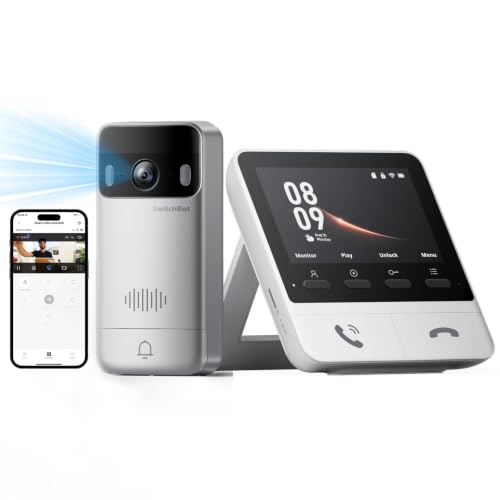
Pros
- 2K video with 165° ultra-wide view
- Color night vision in complete darkness
- 4 GB SD card, no subscription required
- 5,000 mAh wireless outdoor unit
Cons
- Indoor monitor requires a power outlet
- Thick walls can affect range and response
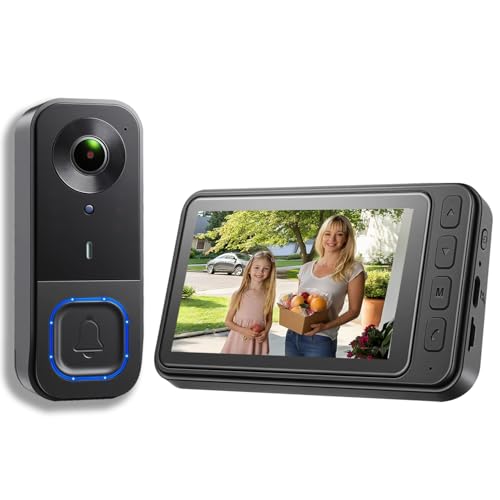
Pros
- 1080p video resolution
- Included monitor screen for live viewing
- Local storage without subscription fees
- 160° view with night vision
Cons
- MicroSD card not included
- No WiFi or app connectivity

Pros
- 2K video with 165° head-to-toe view
- Color night vision for dark entrances
- 4.3-inch monitor with quick response button
- Free 4GB SD card, no subscription
Cons
- Indoor monitor requires a power cable
- Best connection within 5 metres

Pros
- 720P video on a 4.5-inch IPS screen
- Two-way audio without opening the door
- No WiFi, app, or subscription required
- IP54 outdoor protection and IR night vision
Cons
- Indoor monitor should stay connected to charging
- TF card required for local recording, not included

Pros
- No WiFi, app, or subscription required
- 4.3-inch indoor IPS monitor
- 170° wide-angle view with LED lighting
- IP65 outdoor protection
Cons
- Monitor needs to stay plugged in
- Walls and metal doors reduce range
Choose the Screen Before the Smart Features
A dedicated monitor keeps the basic task in one place: see the visitor, answer, and decide whether to open the door. TKMARS Doorbell Camera Wireless No Subscription and KALOGL Video Doorbell Wireless with Screen 1080p both avoid home Wi-Fi, apps, and recurring storage fees, which can reduce setup friction for older adults.
SwitchBot 2K Doorbell Camera with Monitor and SwitchBot Video Doorbell Camera add 2K video, a 165-degree view, color night vision, motion detection, and local storage. Their monitors need power and work best when close to the outdoor unit, so measure the distance and consider walls, metal doors, and multiple floors before buying.
Pro Tip: Keep the indoor monitor in the room where the resident spends the most time, and leave it connected to power for daily use.
Match the View to the Entrance
A wider angle helps when the visitor stands off-center or a package sits low near the threshold. The 170-degree view on TKMARS Wireless Doorbell Camera No Subscription No and the 160-degree view on the KALOGL model offer more coverage than the 120-degree systems, while the SwitchBot models provide a 165-degree head-to-toe view.
Mount the outdoor unit where the resident can recognize faces without stepping close to the door. Before fixing it permanently, confirm that the view includes the approach, the visitor’s face, and the delivery area. Our advice on angling a video doorbell downward can help with low packages and short visitors.
Before You Mount It: Do not rely on a wireless range claim without checking the actual path through walls and metal doors. Place the monitor temporarily, confirm the live view responds promptly, and only then attach the doorbell.
| Device type | Main advantage | Best placement |
|---|---|---|
| No-Wi-Fi monitor | Simple local viewing | Smaller homes |
| Connected monitor | Smart-home controls | Strong signal areas |
| Wide-angle camera | More entrance coverage | Off-center doorways |
Plan Power, Storage, and Outages
Every monitor in these products needs a power connection for regular use, even when the outdoor doorbell is wireless. The TKMARS and FUNNYPANDA-style systems use rechargeable outdoor batteries, with stated runtimes depending on use and conditions. Build charging into the household routine rather than waiting for a low-battery alert.
Local storage avoids a monthly service. TKMARS Doorbell Camera Wireless No Subscription supports a MicroSD card up to 128 GB, KALOGL records locally but does not include its card, and the SwitchBot systems include 4 GB cards with support for cards up to 512 GB. For broader home-safety planning, see our advice on doorbell camera connection problems.
Expert Examined
From Jenna Castellano

I keep the monitor where it can be reached without crossing a busy room or searching for a phone. The mistake I see is mounting the outdoor unit first, then discovering that the screen is too far away or the picture misses the visitor’s face.
Read more about Jenna CastellanoNight vision is useful, but it does not replace sensible lighting. TKMARS Doorbell Camera Wireless No Subscription and the FUNNYPANDA Doorbell Camera use infrared night vision, while the SwitchBot models specify color night vision. For general electrical and product-safety information, consult UL Solutions rather than treating a marketing label as a complete safety certification.
Which Doorbell Fits the Household
I would point you to TKMARS Doorbell Camera Wireless No Subscription for a senior who wants a straightforward monitor without Wi-Fi, an app, or a subscription. Its 4.5-inch screen, full-duplex two-way audio, automatic visitor photos, and support for MicroSD recording keep the routine direct. The adjustable brightness, volume, and ringtone settings are useful when hearing or visibility varies.
I would choose SwitchBot 2K Doorbell Camera with Monitor for a home where family members want clearer video, color night vision, additional monitors, or Alexa support. Its closer monitor placement requirement matters, but the 2K image, 165-degree view, included local storage, and optional Smart Lock connection make it the more capable connected choice.
For a budget-conscious apartment with an off-center entrance, I would consider TKMARS Wireless Doorbell Camera No Subscription No. Its 170-degree view, IP65 outdoor protection, ring-triggered photos, and monitor-based push-to-talk design address the essentials without requiring home internet.
The Bottom Line
The most common mistake is assuming wireless means the indoor screen runs indefinitely without power. These systems remove the cable between the outdoor unit and monitor, but the monitor still needs regular power, and the outdoor battery needs periodic charging.
If you do only one thing first, place the monitor where the resident will naturally notice and reach it. Then check the wireless path, viewing angle, and night visibility from that exact location before mounting the exterior unit.
FAQs
A dedicated monitor can be simpler than an app because the resident does not need a smartphone or account to see a visitor. Models with larger screens, adjustable volume, and direct two-way audio may be especially suitable for someone who prefers physical controls. Place it where the camera sees the visitor’s face and the approach, while avoiding a view blocked by a wall, door frame, or nearby decoration. Check the monitor connection from its intended room before securing the outdoor unit. The interval depends on visitor activity, weather, signal conditions, and the product. Several models state battery life ranging from roughly 30 days to two months, so check the battery indicator and establish a regular charging reminder. Some save visitor photos internally, while video recording requires a MicroSD or TF card. KALOGL does not include its card, whereas the SwitchBot models include 4 GB cards, so confirm the storage arrangement before installation. An IP rating describes protection against dust and water under defined conditions; it does not promise immunity from every storm, impact, or installation error. Use the rating as one part of placement planning and follow the manufacturer’s mounting instructions.Are video doorbells with monitors easier for seniors?
Where should a senior-friendly video doorbell be mounted?
How often does a wireless doorbell battery need charging?
Do no-subscription doorbells need a memory card?
What does IP65 or IP54 mean on a doorbell?
Sources
- UL Solutions www.ul.com
- US Consumer Product Safety Commission www.cpsc.gov
- NFPA www.nfpa.org