
Shopping for the best video doorbells for Google Home starts with one practical split: do you have dependable doorbell wiring, or do you need battery power? That choice matters most for homeowners who want reliable alerts without adding the wrong storage or app setup.
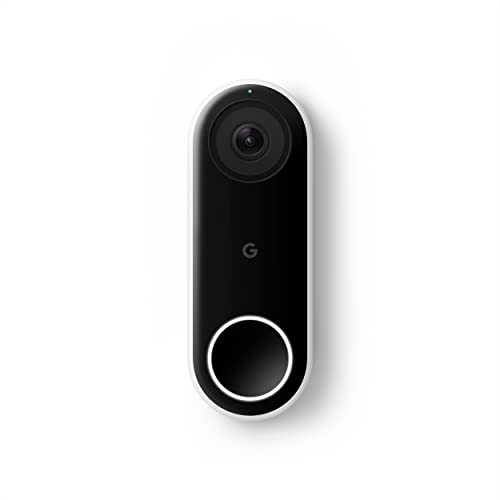
Pros
- 24/7 streaming with three-hour snapshot history
- Person alerts without requiring a doorbell ring
- HDR video and night vision
- 4:3 view shows people and packages
Cons
- Hardwired installation required
- Requires Nest app, not Google Home
- Chime sold separately

Pros
- 2K video with 165° head-to-toe view
- Color night vision for dark entrances
- 4.3-inch monitor with quick response button
- Free 4GB SD card, no subscription
Cons
- Indoor monitor requires a power cable
- Best connection within 5 metres

Pros
- 2K head-to-toe video
- Color night vision
- Package and visitor notifications
- 24/7 local recording via microSD
Cons
- Hardwired only, existing wiring required
- MicroSD card sold separately

Pros
- MmWave radar for more accurate human detection
- 2K wide-angle video with 2-way audio
- Built-in Zigbee and Matter hub
- HomeKit Secure Video and major ecosystem support
Cons
- HomeKit limits resolution to 1600×1200
- MicroSD card for local storage not included
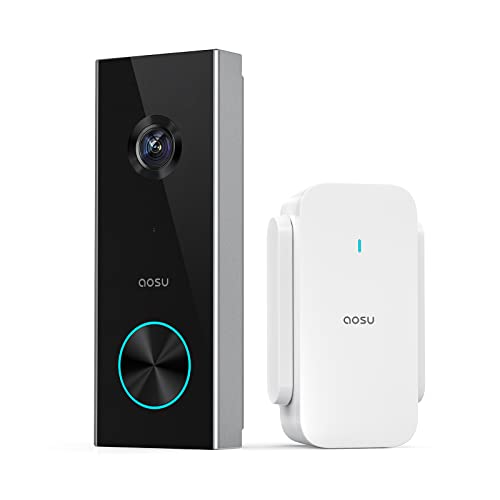
Pros
- 2K resolution with 166° ultra-wide view
- AI human detection reduces unnecessary alerts
- Local storage without a subscription
- Two-way talk with quick replies
- Included base adds Wi-Fi and chime
Cons
- 2.4 GHz Wi-Fi only, no 5 GHz support
- MicroSD card sold separately

Pros
- 2K HDR video with color night vision
- Expanded 166° field of view
- No battery charging or replacement
- Encrypted video and two-step verification
Cons
- Wired installation requires an existing circuit
- Gemini features require Google Home Premium
Match Power to the Entrance
Wired models suit entrances where existing doorbell wiring can provide continuous power. The Google Nest Doorbell (Wired) offers 24/7 streaming, while the WYZE Wired Doorbell Camera v2 requires existing wiring and a 16-24V AC power supply. The newer Google Nest Doorbell (Wired, 3rd Gen) – 2K Video also avoids battery replacement.
Battery models make more sense when wiring is unavailable or you want a less dependent installation. The SwitchBot Video Doorbell Camera uses a 5000 mAh battery, and the aosu 2K Wireless Doorbell Camera with aosuBase uses a wireless design with an included base that also provides Wi-Fi extension, storage, and an indoor chime.
Before You Mount It: Do not assume a wired doorbell is interchangeable with any existing transformer. Confirm the stated power requirement before connecting a hardwired model, and use qualified help if the wiring is uncertain.
Choose the View and Alert Style
A tall view is useful when packages sit below the camera. The Google Nest Doorbell (Wired), SwitchBot Video Doorbell Camera, and aosu 2K Wireless Doorbell Camera with aosuBase all describe coverage that includes visitors and packages near the door. The 3rd-generation Nest model adds a 166° field of view with 2K HDR video.
Alert filtering also separates these choices. Google’s wired Nest Doorbell identifies people, aosu uses AI human detection, and Aqara uses mmWave radar for human-presence detection. That makes detection capabilities more important than resolution alone if your entry faces moving shadows, pets, or frequent activity.
| Device type | Key distinction | Best placement |
|---|---|---|
| Wired Nest | Continuous power | Wired front door |
| Battery doorbell | Flexible installation | Door without wiring |
| Local-storage model | Fewer cloud needs | Privacy-focused entrance |
For additional placement context, read these tips on angling a video doorbell downward. A wider or taller image only helps if the camera is aimed at the approach, threshold, and package area.
Plan Storage, Apps, and Smart-Home Fit
Storage varies sharply across these models. WYZE supports continuous local recording with a separately sold microSD card, while aosu supports a microSD card up to 128GB without a subscription. SwitchBot includes a 4GB SD card and supports cards up to 512GB, and Aqara places its microSD slot inside the indoor chime.
Compatibility also deserves a close look. Aqara supports Google Assistant, Alexa, Matter, SmartThings, Home Assistant, and Apple HomeKit Secure Video. The older Google Nest Doorbell (Wired) requires the Nest app and is not compatible with the Google Home app, while the newer 3rd-generation model works with Google Home and Gemini features through a Google Home Premium subscription.
Pro Tip: If local recording matters, check whether the microSD card is included, sold separately, or limited by capacity before choosing the doorbell.
Wireless reliability depends on the network design as well as the camera. SwitchBot’s monitor works best when it stays within 5 metres of the exterior doorbell, and its monitor includes a 2.4GHz repeater. The aosu base also requires 2.4GHz Wi-Fi, while Aqara supports both 2.4GHz and 5GHz Wi-Fi.
Expert Examined
From Ray Okafor

I keep seeing homeowners focus on camera resolution while overlooking the app and storage path. The better choice is the one whose alerts, recording method, and power arrangement fit the daily routine at the door.
Read more about Ray OkaforFor broader ecosystem details, the HomeKit doorbell camera comparison is useful when Apple devices share the same home as Google products. If a camera disconnects repeatedly, review the likely causes in this troubleshooting resource about doorbell camera connection problems.
Which Doorbell Fits Your Home
I would point you to the Google Nest Doorbell (Wired, 3rd Gen) – 2K Video for a wired entrance where Google Home integration, 2K HDR video, color night vision, and a wide field of view matter most. Its continuous wired power also removes battery maintenance from the routine.
I would put the SwitchBot Video Doorbell Camera at a home that needs battery power and an indoor screen. The 4.3-inch monitor, 2K view, local storage, and operation without internet suit households that want someone inside to answer visitors directly.
For a privacy-focused smart home, I would choose the Aqara Smart Doorbell Camera G410 with Chime. Its encrypted cloud option, chime-based microSD slot, local face recognition, Matter support, and compatibility with Google Assistant make it the most flexible fit when several platforms share the home.
The Bottom Line
The mistake most Google Home shoppers make is treating compatibility as the whole decision. Power type, app requirements, network band, alert detection, and storage can matter just as much as whether a product carries Google Assistant support.
Start by checking the wiring or battery requirement at your entrance. Then decide whether you want continuous recording, local microSD storage, an indoor monitor, or the broadest smart-home integration before weighing resolution and alert features.
FAQs
Wired and battery-powered models can fit a Google Home setup, but compatibility varies by product. The newer Google Nest Doorbell (Wired, 3rd Gen) – 2K Video works with Google Home, while the older Google Nest Doorbell (Wired) requires the Nest app instead. Choose wired power when existing doorbell wiring is suitable and you want continuous operation. Choose a battery model when wiring is unavailable or you need more installation flexibility, while remembering that battery-powered units require ongoing charging. Aim it toward the visitor approach, the threshold, and the package area rather than only at face height. A tall or wide field of view can help, but the camera still needs an angle that includes the space immediately around the door. Not always. Several models support local microSD storage, including SwitchBot, Aqara, WYZE, and aosu, although card inclusion and capacity differ. Optional cloud services may add storage or advanced alerts. It means the doorbell can integrate with Google Assistant, but the exact app and feature set still depend on the model. Check whether the product works in Google Home or requires a separate app before buying.Which type of video doorbell works best with Google Home?
Should I choose wired or battery power?
Where should a video doorbell be aimed?
Do video doorbells need a monthly subscription?
What does Google Assistant compatibility mean?
Sources
- National Fire Protection Association www.nfpa.org
- UL Solutions www.ul.com
- U.S. Consumer Product Safety Commission www.cpsc.gov