
Choosing the best smart thermostats for Google Home starts with a wiring and HVAC compatibility check, not the display. The key split is whether you want simple app scheduling or deeper automation with sensors and learning features, especially if you are replacing an existing thermostat.
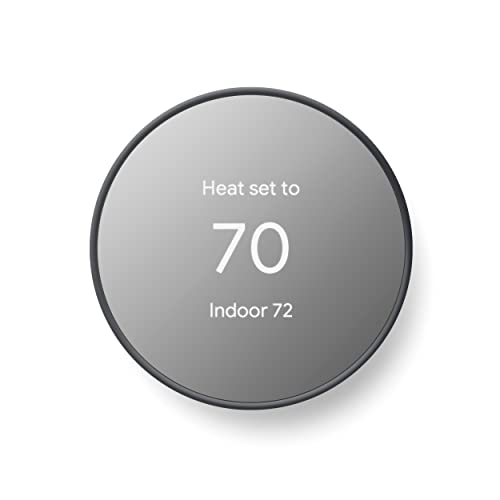
Pros
- ENERGY STAR certified for energy savings
- Remote control from phone, laptop, or tablet
- Programmable schedules in Google Home app
- HVAC monitoring with maintenance alerts
Cons
- C wire may be needed for some systems
- No lock feature for thermostat controls

Pros
- 7-day schedules with 8 periods
- Alexa and Google Assistant compatible
- Energy Star certified
- Temperature alerts and filter reminders
Cons
- C-wire required for installation
- Compatibility check needed before purchase

Pros
- Matter support across major smart-home platforms
- Flexible 24/7 heating and cooling schedules
- Remote app and voice control
- Alerts for filters and system malfunctions
Cons
- C-wire required for some wiring configurations
- Not compatible with electric baseboard heaters
- Compatibility check required before purchase

Pros
- Energy Star certified
- Color touchscreen and app control
- Works with Alexa, Google Assistant, and HomeKit
- Compatible with 85% of systems
Cons
- Power Extender Kit sold separately
- SmartSensor sold separately

Pros
- Learns schedules and outdoor temperature effects
- Temperature Sensor included for hot and cold spots
- No C wire required in most homes
- Works with Google Home, Alexa, and Siri
Cons
- C wire may be needed in some homes
- System compatibility varies by heating setup
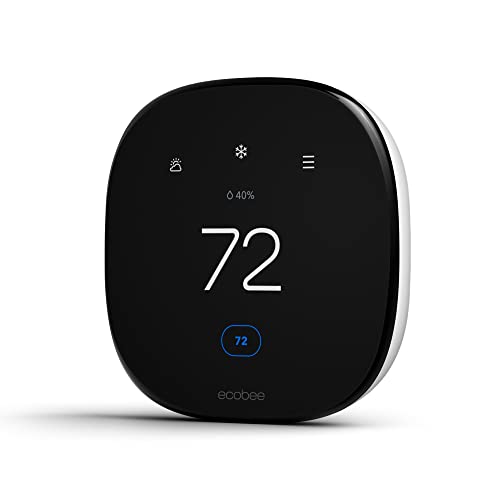
Pros
- Up to 26% potential annual energy savings
- Built-in occupancy sensing adjusts comfort automatically
- Power Extender Kit included for homes without C-wire
- Works with Alexa, Google Assistant, and HomeKit
Cons
- SmartSensors for room-by-room comfort sold separately
- HVAC compatibility should be confirmed before installation
Start With HVAC Compatibility
Google Home support does not guarantee that a thermostat will work with every heating and cooling setup. Check the equipment type and wiring before choosing a model. Google Nest Thermostat – Smart Thermostat for Home and Google Nest Learning Thermostat (4th gen) are designed to work without a C wire in most homes, while vine Smart Thermostat for House requires one.
The ecobee models support many 24 VAC systems, and the Enhanced includes a Power Extender Kit for homes without a C wire. The meross Matter Smart Thermostats for Home supports many HVAC categories, but it is not suitable for electric baseboard systems, millivolt thermostats, or two-wire systems.
Before You Wire: Do not assume the old thermostat wiring is enough. Use the manufacturer compatibility checker or compatibility instructions before removing the existing unit, and confirm whether your system needs a C wire or an accessory.
For broader HVAC details, the Smart Energy and Climate Control category offers related ways to plan connected heating and cooling equipment.
Scheduling Versus Room-by-Room Comfort
All six products provide remote control or programmable scheduling, but their approaches differ. vine Smart Thermostat for House offers seven-day schedules with multiple periods, while meross Matter Smart Thermostats for Home provides flexible schedules for home, away, and sleep routines through its app.
Google Nest Learning Thermostat (4th gen) adds a Nest Temperature Sensor in the box, allowing you to set the temperature for a selected room at a chosen time. ecobee Smart Thermostat Enhanced supports separately sold SmartSensors, and the ecobee Smart Thermostat Essential can also add a SmartSensor for rooms that need extra attention.
| Control Style | Main Differentiator | Best Fit |
|---|---|---|
| Google Nest | Learning and sensor options | Google Home households |
| vine | Seven-day scheduling | Detailed routines |
| meross Matter | Local platform integration | Mixed smart-home platforms |
If your home has a bedroom that runs warmer than the living room, room sensing may matter more than a larger screen. If you mainly want temperature changes from your phone or voice assistant, a conventional schedule may be enough.
Expert Examined
From Ray Okafor

I keep seeing thermostat projects stall because the buyer starts with the app instead of the wiring. The safer approach is to photograph the existing terminals, identify the HVAC type, and then confirm compatibility before choosing a replacement.
Read more about Ray OkaforSmart-Home Integration and Energy Control
Each option works with Google Home, but the wider ecosystem can influence your choice. meross Matter Smart Thermostats for Home also connects with Apple Home, Alexa, Home Assistant, and SmartThings through Matter, while the ecobee models support Google Assistant, Alexa, and Apple HomeKit.
Google Nest Thermostat – Smart Thermostat for Home can create schedules in the Google Home app, turn down when you leave, suggest schedule adjustments, and provide HVAC monitoring alerts. The Learning model adds outdoor-condition learning and asks for permission before making schedule changes.
Energy Star certification appears on the Google Nest Thermostat, vine Smart Thermostat for House, and both ecobee models listed here. The National Fire Protection Association is a useful standards authority for broader home-safety planning, but certification alone does not replace checking your system requirements.
Pro Tip: Save a photo of your current wiring and write down the HVAC equipment type before installation. That information makes compatibility questions much easier to resolve.
Which Thermostat Fits Your Home
I would point you to Google Nest Thermostat – Smart Thermostat for Home if you use Google Home and want a straightforward schedule, remote control, occupancy-based setbacks, and HVAC alerts. Its ability to work without a C wire in most homes also makes it worth considering for many replacements, although compatibility still needs confirmation.
I would choose Google Nest Learning Thermostat (4th gen) for a household that wants a more advanced Google-centered setup and has rooms with uneven temperatures. The included Nest Temperature Sensor, larger display, learning features, and Matter compatibility give it a broader role than basic scheduling.
For a mixed smart-home household, I would consider meross Matter Smart Thermostats for Home because Matter connects it with Google Home, Apple Home, Alexa, Home Assistant, and SmartThings. If you prefer a ready-made power accessory and occupancy-based comfort features, ecobee Smart Thermostat Enhanced is the stronger ecobee option, while the Essential model suits buyers who want a simpler ecobee configuration.
The Bottom Line
The mistake many buyers make is treating Google Home compatibility as proof that a thermostat will fit their HVAC system. C-wire requirements, heat-pump support, baseboard exclusions, and system voltage can matter more than voice control.
If you only do one thing first, check the manufacturer compatibility information against your existing wiring and equipment. After that, decide whether you need a sensor for uneven rooms, Matter for multiple platforms, or only dependable scheduling through Google Home.
FAQs
A room sensor is useful when one area of your home is consistently warmer or cooler than another. Google Nest Learning Thermostat (4th gen) includes a Nest Temperature Sensor, while ecobee models support SmartSensors that are sold separately on the listed products. Some can, but the answer depends on the model and HVAC system. The two Google Nest options are designed to work without a C wire in most homes, ecobee offers a Power Extender Kit on the Enhanced model, and vine requires a C wire. Confirm the HVAC type, terminal wiring, and voltage requirements using the product compatibility information. Also check exclusions, since meross is not suitable for electric baseboard heaters, millivolt thermostats, or two-wire systems. Energy Star certification indicates that the qualifying thermostat meets the program’s efficiency requirements. It does not confirm compatibility with your specific HVAC equipment, so you still need to check wiring and system type before installation.Do I need a room sensor for a Google Home thermostat?
Can these thermostats work without a C wire?
What should I check before installing one?
What does Energy Star certification mean here?
Sources
- National Fire Protection Association. www.nfpa.org
- US Consumer Product Safety Commission. www.cpsc.gov