
Shopping for the best smart locks with auto unlock means deciding whether arrival-based access, fingerprint entry, or phone-free methods matter most to your household. This selection suits homeowners, renters, and hosts who want fewer key fumbling moments without ignoring network limits or backup access.

Pros
- Matter over Thread, compatible with major platforms
- Bluetooth app access-code management
- Backlit, fingerprint-resistant touchpad
- Proximity wakeup for faster code entry
Cons
- Hands-free entry depends on Bluetooth and geofencing
- Thread features require a compatible smart-home platform
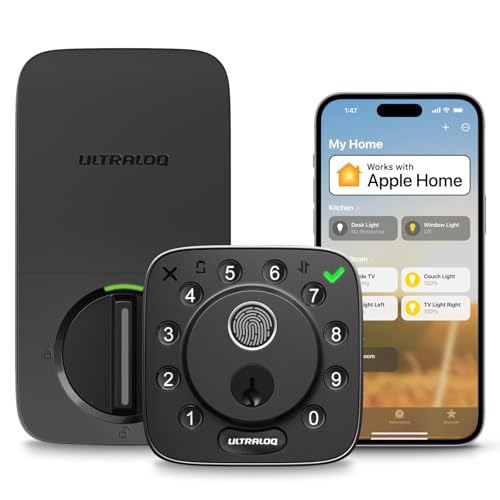
Pros
- Fingerprint, passcode, app, and voice access
- Apple Home, Alexa, Google, SmartThings support
- Included sensor monitors door status
- ANSI/BHMA Grade 2 certification
- Up to one year on eight AA batteries
Cons
- 2.4 GHz Wi-Fi only
- Router should stay within 70 feet

Pros
- Door sensor supports auto-locking and open-door alerts
- Apple Home Key and Android NFC support
- BHMA Grade 1 certified zinc alloy construction
- IP65 weather resistance for year-round use
Cons
- 2.4 GHz Wi-Fi only
- Requires eight AA batteries

Pros
- Backlit keypad supports up to 250 codes
- No hub required for Wi-Fi control
- Geofence auto-unlock and automatic locking
- Lifetime mechanical and finish warranty
Cons
- One-year electronics warranty
- Remote features depend on the Kwikset app
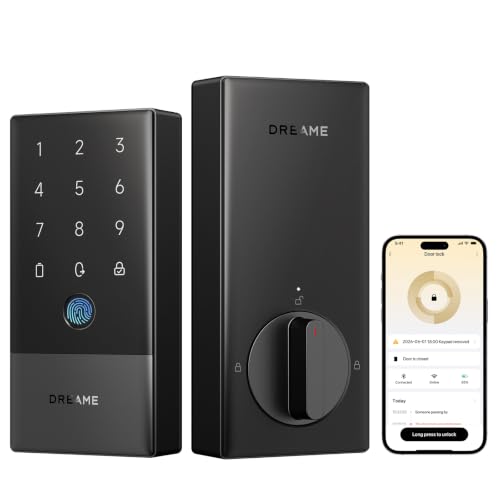
Pros
- Seven entry methods, including fingerprint access
- Built-in 2.4GHz Wi-Fi, no extra hub
- BHMA Grade 2 certified security
- Up to 8-month battery life, USB-C backup
Cons
- Designed for left-handed doors only
- Matter over Thread requires compatible hub

Pros
- 0.3-second fingerprint recognition
- Supports up to 100 fingerprints
- 12-month Triple Power battery system
- Alexa and Google Assistant compatible
Cons
- Accessory kit sold separately for some locks
- Not directly compatible with European locksets
How Auto Unlocking Actually Works
Most of these locks use a phone location boundary, Bluetooth connection, or both to recognize that you are approaching. The Kwikset Aura Reach Smart Lock Matter Over Thread uses Bluetooth and geofencing through its app, while the Kwikset Halo Wi-Fi Smart Lock uses intelligent geofencing and does not require a hub.
Geofencing is convenient, but it depends on phone permissions, battery status, and a reliable connection between your phone and the lock. If you prefer a method that does not depend on arrival detection, fingerprint access on the ULTRALOQ Bolt Fingerprint WiFi Smart Lock or NFC access on the ULTRALOQ Bolt NFC Smart WiFi Deadbolt Lock gives you a deliberate alternative.
Pro Tip: Before relying on automatic entry, keep a backup key, code, or other listed access method available and confirm that your phone permissions allow location access.
Match the Lock to Your Home Network
Network architecture separates these models more than their keypads do. The ULTRALOQ models and Dreame A10 Smart Lock, Fingerprint Keyless Entry specify 2.4 GHz Wi-Fi, while the Kwikset Aura Reach Smart Lock Matter Over Thread uses Thread for Matter compatibility and Bluetooth for direct app management.
The Dreame A10 has built-in 2.4 GHz Wi-Fi and also supports Matter over Thread, but a compatible Thread Border Router or hub is required for that connection. SwitchBot’s Matter and Apple Home support requires the SwitchBot Hub mini, so account for the hub when planning your setup. For broader smart-home compatibility, consult what a smart lock bridge does.
| Access method | Network requirement | Best fit |
|---|---|---|
| Geofence | Phone permissions | Hands-free arrivals |
| Fingerprint | Local biometric entry | Shared households |
| NFC tap | Compatible phone | Apple or Android users |
Check Door Fit, Security, and Power
Auto-entry does not replace basic door compatibility. The Dreame A10 is designed for left-handed doors only, and the SwitchBot Lock Ultra is intended for most standard US apartment door locks, with certain Jimmy Proof and Mortise applications requiring its accessory kit.
Battery details also vary. The ULTRALOQ Bolt Fingerprint WiFi Smart Lock and ULTRALOQ Bolt NFC Smart WiFi Deadbolt Lock use eight AA batteries and list up to one year of typical use. The Dreame A10 lists up to eight months, includes USB-C emergency charging, and sends low-battery alerts.
BHMA grades provide useful context, but they are not a substitute for checking your door, strike alignment, and installation instructions. The ULTRALOQ NFC model is listed as BHMA Grade 1, while the ULTRALOQ fingerprint model and Dreame A10 are listed as Grade 2. UL Solutions explains how safety and performance standards fit into product evaluation.
Before You Mount It: A lock that operates smoothly on a misaligned door can still fail to latch reliably. Confirm the deadbolt moves freely, verify the door handing, and check the supplied fit requirements before depending on automatic entry.
Expert Examined
From Ray Okafor

I keep seeing homeowners focus on app features while overlooking the door itself. A stiff deadbolt or weak alignment can make any smart lock behave poorly, so I would correct the hardware fit before setting up geofencing.
Read more about Ray OkaforFor broader advice on the hardware behind a deadbolt, read why the strike plate matters. You should also decide whether remote access, activity history, guest codes, or a physical backup matters most before installation.
Which Lock Fits Your Routine
I would point apartment residents toward the Smart Lock Ultra with Keypad,Fingerprint Door when compatibility with standard US apartment locks is the priority. Its fingerprint reader supports up to 100 fingerprints, and its battery system lists up to 12 months of use. Apple Home control requires the SwitchBot Hub mini, so I would include that hub in the plan if Apple devices are central to the household.
I would put the ULTRALOQ Bolt Fingerprint WiFi Smart Lock on a busy family entrance where multiple people need flexible access. It supports fingerprints, codes, app access, voice control, automatic arrival access, and backup keys, while the included sensor reports door status. Its 2.4 GHz Wi-Fi requirement and recommended router distance should be checked first.
For a Matter-focused home, I would choose the Kwikset Aura Reach Smart Lock Matter Over Thread. It combines Thread compatibility with major platforms, Bluetooth app management, proximity wakeup, and geofence-based automatic entry. If built-in Wi-Fi and remote activity history matter more, the Kwikset Halo Wi-Fi Smart Lock is the more direct fit because it needs no hub.
The Bottom Line
The mistake most buyers make is treating automatic arrival access as the only deciding feature. Phone permissions, Wi-Fi frequency, Thread hubs, door handing, battery format, and backup entry methods can matter more once the lock is on the door.
If you do one thing first, inspect your existing deadbolt and confirm its handing and fit. Then choose the access method you will actually use most often, whether that is geofencing, a fingerprint, NFC, a code, or an app.
FAQs
Geofencing depends on phone location permissions, battery status, and the connection between the phone and lock. Keep a backup key, code, fingerprint, or other supported method available instead of relying on arrival detection alone. A model with several entry methods can suit households with different routines. Fingerprints, passcodes, app access, voice control, and backup keys give each person more than one practical option. Local methods such as a physical key, fingerprint, NFC, or keypad code may still be available depending on the model. Remote control and some smart-home features can require Wi-Fi, a hub, or a Thread Border Router. A BHMA grade indicates a certification level associated with residential lock performance and durability. It is useful when comparing models, but it does not confirm that a lock fits your door or that the installation is correct.Are geofencing smart locks reliable for everyday entry?
Which automatic lock is best for a shared household?
Do smart locks work during a Wi-Fi outage?
What does a BHMA grade mean on a smart lock?
Sources
- BHMA and ANSI standards information. buildershardware.com
- UL Solutions safety standards information. www.ul.com