
Finding the best security cameras for rental properties means balancing strict lease agreements with the need for clear property monitoring. The real challenge is achieving wide coverage without drilling into exterior siding or running permanent power lines. Hardware built for temporary mounts and wire-free power keeps your deposit safe while keeping entryways monitored.

Pros
- Tool-free suction mount avoids drilling holes
- Full 360-degree rotating ball head adjustment
- Fits Blink Outdoor 4, Mini, and XT lines
- Adheres to glass, windshields, and smooth tiles
Cons
- Night vision lights must stay off on glass
- Restricted to completely flat, non-porous surfaces

Pros
- Free person and motion detection filtering
- Daily run time from 45 minutes of direct sun
- Color night vision with spotlights up to 30 feet
- MicroSD slot supports local storage up to 512GB
Cons
- Solar charging halts in temperatures below 32°F
- Cloud storage requires an optional Tapo Care subscription
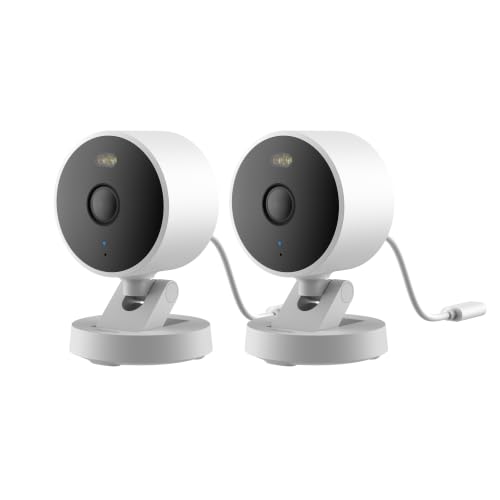
Pros
- 2K 1296p resolution with 140-degree field of view
- Local microSD storage up to 512GB plus NAS support
- Weatherproof IP65 housing for indoor or outdoor use
- Wi-Fi 6 connectivity with WPA3 security support
- Works with HomeKit Secure Video, Alexa, and RTSP
Cons
- Power adapter not included in the box
- Night vision modes must be manually enabled
- HomeKit connection caps video resolution at 1080p
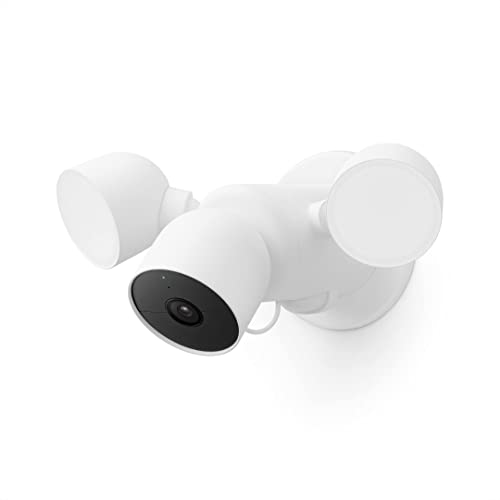
Pros
- Onboard detection differentiates people, animals, vehicles
- 1080p HDR video with integrated night vision
- Stores up to one hour of events during outages
- Built-in speaker and microphone for two-way audio
Cons
- Continuous 24/7 recording requires paid Nest Aware Plus
- Free video event history capped at three hours

Pros
- 2K resolution for outdoor monitoring
- Anti-glare glass design reduces window reflections
- Adjustable 45° or 90° viewing angle
- No-drill adhesive installation, no tools required
Cons
- SD card for local storage sold separately
- Indoor placement requires window-facing installation

Pros
- 1080p Full HD video
- Full-color night vision
- Up to 180-day rechargeable battery
- Local storage without subscription
Cons
- MicroSD card sold separately
- Battery life varies with usage
Mounting Without Security Deposit Penalties
Drilling holes into stucco, brick, or door frames is the fastest way to forfeit a security deposit at move-out. Window mounts and heavy-duty suction brackets solve this hurdle by letting tenants aim cameras through glass panes or clamp them directly to smooth tiles and window surfaces. For tenants exploring hardware for entryways, review our guide to smart locks and entry solutions that complement non-invasive setups.
Glass mounting introduces its own physical limitations, primarily optical reflections from infrared illuminators. When an indoor lens points through a double-pane window, night-vision LEDs bounce off the surface and blind the sensor. Turning off built-in IR lights and relying on ambient street lighting or specialized anti-glare window hardware keeps exterior footage sharp.
Avoid Night Blinding: Never activate traditional infrared LEDs behind glass windows. The invisible light reflects directly into the camera lens, creating a white washout that obscures faces and motion.
Battery Power Versus Wired Infrastructure
Running electrical cables along rental exteriors is rarely permitted by property managers, which makes rechargeable batteries the practical choice for balconies and patios. High-capacity lithium-ion packs can run several months between charges, while compact solar panels eliminate the need to dismount hardware for charging. Checking municipal building codes via the International Code Council helps tenants understand standard structural rules for exterior attachments.
Wired setups still work well indoors where power outlets sit near window sills or bookshelves. Devices connected to continuous power avoid the wake-up delays that occasionally cause battery cameras to miss the start of an event. Understanding what the lights on a security camera mean ensures you know whether your unit is actively recording or suffering power loss.
| Power Type | Mounting Style | Best Location |
|---|---|---|
| Solar Battery | Screwless Clamp | Balcony Rails |
| Rechargeable | Suction Mount | Window Panes |
| Wired USB | Adhesive Base | Indoor Sills |
Expert Examined
From Jenna Castellano

The mistake I see tenants make most often is hanging battery cameras too high on rented balconies. Lowering the unit to seven feet captures useful facial angles rather than the top of a visitor’s hat, and it keeps battery swaps safe without needing a ladder.
Read more about Jenna CastellanoLocal Storage and Privacy Compliance
Many rental communities feature shared breezeways or tight courtyard spaces where neighbors walk past your door daily. Adjusting activity zones prevents false alerts and keeps you from recording neighbors in areas where they expect privacy. Learning whether security cameras have facial recognition helps you decide which smart detection filters to activate in shared hallways.
MicroSD cards provide an inexpensive way to retain video without paying mandatory monthly cloud subscriptions. Keeping video local gives renters complete ownership over their files if an incident occurs on the premises. Knowing whether security camera footage is admissible in court helps you maintain proper timestamps and storage settings if disputes arise.
Pro Tip: Format your microSD card directly inside the camera app before mounting to prevent read-write errors during crucial security events.
Selecting Your Rental Property Setup
For tenants who want complete outdoor perimeter monitoring without climbing ladders to recharge batteries, I would point you to the Tapo SolarCam C402 KIT 1080p Outdoor. Its compact solar panel needs under an hour of direct sunlight each day to maintain continuous charge, and the wire-free setup attaches neatly to balcony posts.
If your landlord prohibits any exterior attachments whatsoever, I recommend the 2K Window Security Camera. It mounts securely to interior glass using damage-free adhesive, keeping all electronics safely indoors while using an anti-glare profile to watch porches and parking spots. For those who already own hardware and simply need damage-free placement, the 2 Pack Camera Window Mount Compatible with Blink allows suction mounting to smooth window panes without a single screw.
The Bottom Line
The single biggest mistake renters make is buying hardware designed for permanent homeowner installation. Drilling brackets into exterior brick or stucco invites friction with landlords and leads to expensive repair deductions when moving out. Selecting gear built for suction, adhesive, or self-contained solar charging provides equal protection with zero structural footprint.
Before buying any equipment, inspect your lease for specific restrictions on exterior attachments and identify your nearest power sources. Choosing a camera that monitors through glass or relies on a long-life battery ensures you stay protected without risking your deposit.
FAQs
Can my landlord forbid security cameras in my rental?
Landlords can prohibit drilling holes into siding, exterior walls, or common hallway doors. However, tenants generally have the right to place cameras inside their private apartment, including units pointing out through windows, provided they do not infringe on areas where neighbors have a reasonable expectation of privacy.
How do outdoor security cameras stay powered in an apartment?
Most renters rely on rechargeable batteries that run for three to six months between charges. Adding a small solar panel with zip-ties or gutter clamps provides continuous power without drilling holes through exterior walls for power cords.
Do window security cameras work through double-pane glass?
Yes, daytime viewing through double-pane glass is clear and effective. At night, you must disable the camera’s internal infrared night-vision lights to prevent blinding reflections, relying instead on outdoor porch lights or street illumination.
What happens to my security cameras when I move out?
Renter-friendly cameras detach quickly without leaving holes or structural damage. Suction brackets and command-strip adhesives pull away cleanly, allowing you to pack the hardware and reinstall it at your next property in minutes.
Sources
- International Code Council www.iccsafe.org
- Federal Trade Commission www.ftc.gov