
Shopping for the best multi outlet smart plugs is mainly about separating devices that need individual schedules from chargers that can stay grouped. You need a strip whose outlet count, platform support, and power limits match the room, whether that is a home office, media center, or kitchen counter.

Pros
- Three individually controlled WiFi outlets
- Three grouped smart USB ports
- Three always-on regular outlets
- Overload, overcurrent, and fuse protection
Cons
- 2.4GHz WiFi only, not 5GHz
- USB ports offer group control only
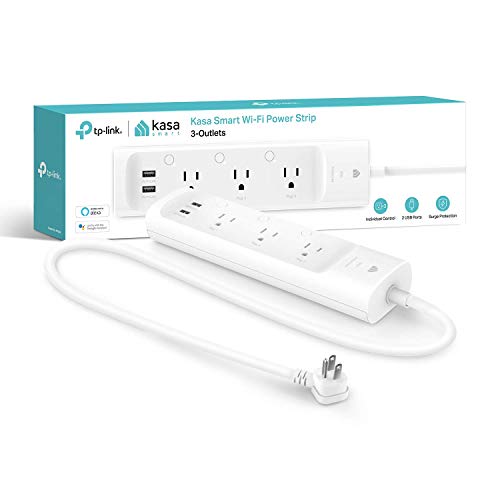
Pros
- Three individually controlled smart outlets
- Two always-on USB charging ports
- ETL-certified surge protection
- Alexa and Google Assistant support
Cons
- USB ports cannot be individually controlled
- Remote control requires the Kasa app

Pros
- Six individually controlled outlets
- Three USB ports, including USB-C
- Remote control and scheduling
- No hub required
Cons
- Works with Alexa only
- Requires 2.4 GHz WiFi

Pros
- Four individually controlled AC outlets
- Matter works across major smart home platforms
- Two USB ports and two Type C chargers
- FCC and ETL listed safety protection
Cons
- USB and Type C ports operate as one unit
- App outlet order may not match the strip
- 3500W maximum power is not for long-term use
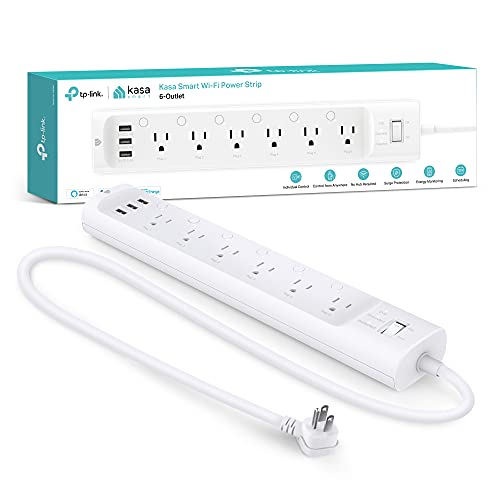
Pros
- Six individually controlled smart outlets
- Three built-in USB charging ports
- ETL certified surge protection
- Energy monitoring through Kasa app
Cons
- App or voice assistant needed for remote control
- 15A, 1875W total load limit
Start With Individual Control
A multi-outlet strip is more useful when each important appliance can be switched separately. The GHome Smart Plug Outlet Extender has three individually controlled smart outlets, three USB ports controlled as a group, and three regular outlets that remain on. That layout suits a mixed charging station where only some devices need schedules.
The Kasa Smart Plug Power Strip KP303 keeps the layout simpler with three individually controlled smart outlets and two always-on USB ports. It supports Alexa and Google Assistant, while the Amazon Basics Smart Plug Power Strip with 6 provides six individually controlled outlets but works with Alexa only.
Pro Tip: Choose individual outlets for lamps, fans, or other devices you want to schedule separately. Keep shared USB charging together when simultaneous on and off control is acceptable.
Match Compatibility to Your Home
Platform support can eliminate a model before outlet count matters. The GHome Smart Plug Outlet Extender and Kasa Smart Plug Power Strip KP303 support Alexa and Google Home, while the Kasa Smart Plug Power Strip HS300, Smart Outlet also adds Microsoft Cortana voice control.
The Matter Smart Power Strip,Works with Apple HomeKit supports Apple Home, Alexa, Google Home, and SmartThings through Matter. It includes four individually controlled AC outlets, two USB ports, and two Type C chargers, with the USB and Type C charging section controlled as one unit.
Check your wireless setup before buying. The GHome model specifically supports 2.4GHz WiFi and not 5GHz, while the Amazon Basics model also specifies 2.4GHz WiFi and Alexa-only operation. For broader platform flexibility, you can also review HomeKit device compatibility before standardizing your smart home.
Check the Network First: A strip that requires 2.4GHz WiFi may not complete setup if your phone or router is restricted to another band.
| Device type | Control layout | Best fit |
|---|---|---|
| Smart outlets | Individual switching | Lamps and appliances |
| USB charging | Group or always-on | Phones and accessories |
| Matter outlets | Individual switching | Mixed platforms |
Power, Protection, and Placement
Compare the total load rating rather than counting sockets alone. GHome lists a 15A and 1875W rating, the Kasa HS300 lists 15A and 1875W maximum total load, and the Matter model lists a 16A maximum current with a 3500W maximum that cannot be used for a long time.
Protection features also vary. GHome lists overload, overcurrent, fuse, and a V0 fire-retardant shell, while the Kasa KP303 and HS300 specify ETL-certified surge protection. The Matter model lists FCC and ETL certification plus safeguards for overheating, overcharging, overcurrent, and short circuits.
Expert Examined
From Jenna Castellano

I keep the strip where its controls and cord are easy to reach, rather than burying it behind furniture. The mistake I see is treating every port as independently smart, so label the outlets that share USB or grouped control before connecting daily-use devices.
Read more about Jenna CastellanoFor broader safety reading, the U.S. Consumer Product Safety Commission publishes consumer safety information that can help you think beyond app features. You can also explore smart sensors and home automation when the strip is part of a larger setup.
Which Strip Fits Your Room
I would point you to the GHome Smart Plug Outlet Extender for a home office or shared charging area that needs several outlet types in one compact design. Its three individually controlled smart outlets, grouped USB ports, and always-on regular outlets give you more layout flexibility than a strip where every connection follows the same control pattern. Its Alexa and Google Home support also suits households using either voice ecosystem.
I would put the kasa smart Plug Power Strip KP303 in a smaller desk setup where three separately scheduled devices are enough and surge protection matters. For a household split across Apple Home, Alexa, Google Home, and SmartThings, I would choose the Matter Smart Power Strip,Works with Apple HomeKit. Its four individually controlled AC outlets and Type C charging make it especially practical for a mixed-platform workspace.
The Bottom Line
The biggest mistake buyers make is counting every port as an independently controllable outlet. USB ports may be grouped or always on, and some connections may be standard outlets, so inspect the control layout before assigning devices to each position.
If you only do one thing first, write down the appliances that need separate schedules and the voice platform already used at home. Then choose the strip whose individually controlled outlet count, network requirement, and total load rating cover that list without forcing important devices into grouped charging ports.
FAQs
Count the appliances that need separate schedules or remote switching, not every device you plan to plug in. Chargers can often share grouped or always-on USB control, while lamps and other scheduled appliances benefit from separate outlets. The GHome model specifies 2.4GHz WiFi and not 5GHz, and the Amazon Basics model also specifies 2.4GHz WiFi. Check the individual product requirements before setup, especially if your router uses separate network bands. Not always. GHome states that its three USB ports offer group control, the Matter model groups its USB and Type C section, and the Kasa KP303 lists always-on USB ports. They identify certification or compliance information stated by the manufacturer, but they do not mean every port has individual smart control. Review both the safety features and the control layout before connecting appliances. Check the strip’s total load rating and the requirements for your connected devices. GHome and the Kasa HS300 list 15A and 1875W limits, while the Matter model lists a maximum rating that should not be used for a long time.How many individually controlled outlets do I need?
Do these smart power strips work with 5GHz WiFi?
Can I control USB ports separately?
What do ETL and FCC information tell me?
What should I check before connecting appliances?
Sources
- U.S. Consumer Product Safety Commission, Consumer Safety Information www.cpsc.gov
- UL Solutions, Product Safety and Certification Information www.ul.com