

For best doorbell cameras for seniors, the important split is whether the system works through a simple indoor monitor or depends on a phone and home network. A clear screen, easy two-way talk, and manageable charging routine matter most for older adults living alone or with family support.

Pros
- No WiFi, app, or subscription required
- 4.5-inch IPS indoor monitor
- Full-duplex two-way audio
- Automatic photos and MicroSD video recording
Cons
- Indoor monitor needs continuous USB-C power
- Outdoor unit limited to IP54 protection
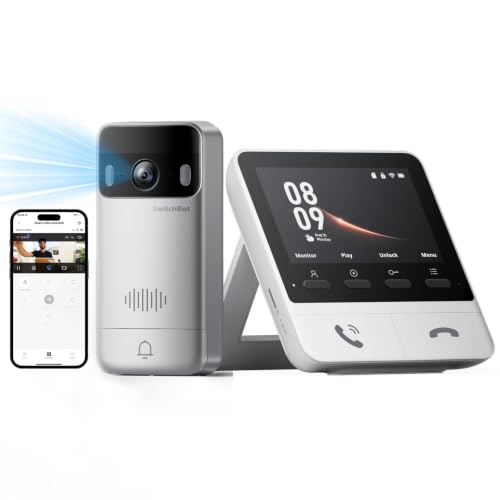
Pros
- 2K video with 165° ultra-wide view
- Color night vision in complete darkness
- 4 GB SD card, no subscription required
- 5,000 mAh wireless outdoor unit
Cons
- Indoor monitor requires a power outlet
- Thick walls can affect range and response
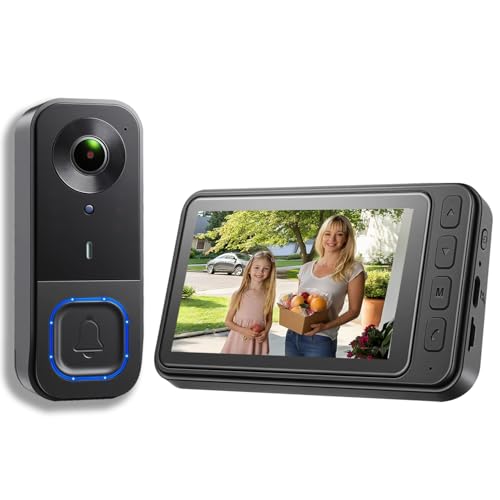
Pros
- 1080p video resolution
- Included monitor screen for live viewing
- Local storage without subscription fees
- 160° view with night vision
Cons
- MicroSD card not included
- No WiFi or app connectivity

Pros
- 2K video with 165° head-to-toe view
- Color night vision for dark entrances
- 4.3-inch monitor with quick response button
- Free 4GB SD card, no subscription
Cons
- Indoor monitor requires a power cable
- Best connection within 5 metres

Pros
- 720P video on a 4.5-inch IPS screen
- Two-way audio without opening the door
- No WiFi, app, or subscription required
- IP54 outdoor protection and IR night vision
Cons
- Indoor monitor should stay connected to charging
- TF card required for local recording, not included

Pros
- No WiFi, app, or subscription required
- 4.3-inch indoor IPS monitor
- 170° wide-angle view with LED lighting
- IP65 outdoor protection
Cons
- Monitor needs to stay plugged in
- Walls and metal doors reduce range
Choose the Screen Before the Smart Features
A dedicated monitor lets you see a visitor without finding a phone, opening an app, or remembering a password. The TKMARS and KALOGL options use direct connections between the outdoor unit and indoor screen, while the SwitchBot models add Wi-Fi features, Alexa support, and compatibility with selected smart-home equipment.
Screen size also affects everyday comfort. The TKMARS Doorbell Camera Wireless No Subscription and FUNNYPANDA Doorbell Camera use 4.5-inch screens, while the other monitor systems use screens around 4.3 inches. A larger display may be easier to read from a chair, but placement still matters more than a small difference in diagonal size.
If phone-free operation is the priority, start with the difference between a doorbell chime and monitor. A monitor shows the visitor, whereas an audible chime alone does not provide visual confirmation.
Match Wireless Range to the Home
Wireless does not mean unlimited range. Walls, metal doors, and interference can reduce the connection, so place the monitor where the signal has a short, clear path to the entrance whenever possible. SwitchBot recommends keeping its indoor monitor and outdoor doorbell within 5 meters for a faster connection.
Pro Tip: Place the monitor in the room where the senior spends the most time, then check the live connection before permanently mounting the outdoor unit.
The TKMARS Doorbell Camera Wireless No Subscription lists an approximate 16 to 262 foot range depending on the environment. The second TKMARS model describes 5 to 30 meters with obstacles, while the FUNNYPANDA model lists an optimal and stable range of 16 to 262 feet. These figures are conditions-dependent, not guarantees for every house.
| System type | Main difference | Best placement |
|---|---|---|
| No Wi-Fi monitor | Direct private connection | Near living area |
| Wi-Fi monitor | Smart-home integration | Short signal path |
| Local-storage monitor | Saves footage locally | Accessible indoor screen |
For a multi-story home, SwitchBot supports additional indoor monitors, available separately or in certain bundles. That can help family members respond from different rooms, but it also adds equipment and requires careful placement.
Plan Charging, Storage, and Night Viewing
Every model here needs some attention to power. The TKMARS wireless models use rechargeable 1,000mAh outdoor batteries, while SwitchBot lists a 5,000mAh outdoor battery. The FUNNYPANDA outdoor unit lists approximately 30 to 50 days of use and its monitor includes a smaller battery for emergency use, but the monitor should remain connected for daily operation.
Storage is another practical distinction. TKMARS supports MicroSD recording up to 128GB on the newer monitor system, KALOGL supports local storage but does not include a MicroSD card, and SwitchBot includes a 4GB card while supporting cards up to 512GB. The older TKMARS model saves photos internally and requires an 8 to 32GB FAT32 card for video.
Night viewing varies too. KALOGL lists night vision with a 160-degree view, TKMARS lists infrared night vision on one model and LED illumination on the other, and SwitchBot lists color night vision with a 165-degree view. For a doorway facing a dark walkway, compare the actual lighting conditions rather than relying only on the resolution label.
Before You Mount It: Do not place the outdoor unit where rain can enter around the mounting point, and do not assume an IP rating makes the entire installation waterproof. Check the connection and charging access first.
I keep the indoor screen where a seated person can reach it without standing quickly. The mistake I see with monitor doorbells is mounting the display near the entry instead of near the person who needs to answer, which defeats the convenience of a phone-free system.
For additional placement ideas, see how to angle a video doorbell down. A slight downward view can help cover the visitor area and packages, but the final angle depends on the doorway and mounting surface.
Which Doorbell Fits the Household
I would point you to the TKMARS Doorbell Camera Wireless No Subscription for a senior who wants a straightforward, phone-free setup. Its 4.5-inch IPS monitor, full-duplex two-way audio, automatic visitor photos, MicroSD video support, and listed battery life of approximately 50 days cover the basics without requiring home Wi-Fi or a subscription.
I would choose the SwitchBot 2K Doorbell Camera with Monitor for a household that wants a sharper image, color night vision, a 165-degree view, and expansion to more indoor monitors. Alexa support, optional smart-lock pairing, and local storage make it the more connected choice, but its recommended short monitor-to-doorbell distance deserves attention.
For a wider doorway view on a lower-complexity system, I would consider the KALOGL Video Doorbell Wireless with Screen 1080p. Its 160-degree view, integrated monitor, night vision, two-way audio, and no-Wi-Fi operation suit an apartment or small home, provided you add a compatible MicroSD card if recording is important.
The Bottom Line
The mistake most buyers make is treating every wireless doorbell as equally easy to use. A monitor that needs close placement, a battery that needs regular charging, or storage that requires a separate card can change the daily experience.
If you do only one thing first, decide where the senior will sit when answering visitors. Then choose the monitor, connection type, and charging arrangement that keep the screen visible and reachable from that spot.
FAQs
A doorbell camera with a dedicated indoor monitor is usually the simplest option for someone who does not want to use a phone app. Models from TKMARS, KALOGL, FUNNYPANDA, and SwitchBot show visitors indoors, while the SwitchBot systems also add smart-home features. Place it in the room where the senior spends the most time, at a comfortable viewing and speaking height. Keep the monitor and outdoor unit as close as practical, especially with SwitchBot systems, because walls, metal doors, and interference can affect the connection. Charging frequency depends on visitor activity, motion alerts, signal conditions, and the model’s battery. The listed products range from approximately 30 to 50 days or up to about two months under stated conditions, and monitors should generally stay connected for regular use. The listed IP ratings describe the outdoor unit’s stated dust and water protection level. They do not remove the need for sensible placement, sealed mounting, and protection from direct water entry around the installation.Which doorbell camera type is easiest for seniors?
Where should the indoor monitor be placed?
How often does a wireless doorbell camera need charging?
What does an IP54 or IP65 rating mean on a doorbell camera?
Sources
- National Fire Protection Association, home safety resources. www.nfpa.org
- US Consumer Product Safety Commission, home safety information. www.cpsc.gov
- UL Solutions, safety standards resources. www.ul.com