
Shopping for the best affordable smart thermostats gets easier once you check HVAC compatibility before comparing apps and schedules. The key split is whether your system has the required C-wire, so renters, homeowners, and anyone replacing an older thermostat can avoid a costly mismatch.

Pros
- Remote app control and real-time monitoring
- 7-day programmable temperature scheduling
- Backlit LCD for dark rooms
- Temperature control within 2°F
Cons
- Requires a 24V C-wire and no batteries
- Works only with 2.4GHz Wi-Fi
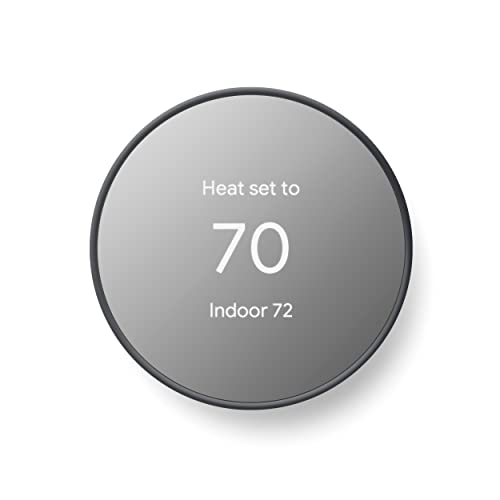
Pros
- ENERGY STAR certified for energy savings
- Remote control from phone, laptop, or tablet
- Programmable schedules in Google Home app
- HVAC monitoring with maintenance alerts
Cons
- C wire may be needed for some systems
- No lock feature for thermostat controls

Pros
- ENERGY STAR certified
- Works with Alexa and Ring
- Remote control through the Alexa app
- Automatic home, away, and sleep temperatures
Cons
- C-wire required for installation
- Rebates depend on local energy providers

Pros
- 7-day flexible scheduling
- Geofencing with automatic home and away
- ENERGY STAR certified
- Alexa ready
Cons
- C-wire power adapter required
- Limited with heating-only oil furnaces

Pros
- ENERGY STAR certified
- Common wire not required in most applications
- Alexa compatible with remote access
- Usage reports and maintenance reminders
Cons
- Some applications require a common wire
- HVAC compatibility varies by home

Pros
- DIY installation with built-in level
- ENERGY STAR certified, saves about 23% on HVAC energy
- Remote control through Android and iOS apps
- Privacy policy excludes selling personal information
Cons
- Some systems require a C-wire or power accessory
- Smart features depend on app and WiFi access
Start With Your HVAC Wiring
Compatibility is the first filter in this category. Riseem works with conventional single-stage 1 heat and 1 cool systems and requires a 24V C-wire, while Amazon and Honeywell Home also require C-wire power. Those limits exclude heat pumps and several multi-stage configurations, so check the wiring terminals before ordering.
Google Nest Thermostat – Smart Thermostat for Home and Sensi Lite Smart Thermostat, WiFi, Alexa, DIY are designed to work without a C-wire in most homes, though both identify systems that may still need a C-wire or power accessory. Sensi Smart Thermostat, Wi-Fi, DIY, Alexa likewise says a common wire is not required in most applications.
Check Before You Mount: Do not assume a thermostat is compatible because the old wall control looks similar. Match your HVAC type and wiring to the product requirements first, especially if you have a heat pump, heating-only setup, or multi-stage equipment.
For additional background on connected household equipment, the Smart Energy & Climate Control category provides useful context, but the product specifications remain the deciding authority for wiring.
Match Controls to Your Routine
Remote access is common across these models, but the scheduling tools differ. Riseem supports 7-day programming through its phone app and works only with 2.4GHz Wi-Fi. Honeywell Home T5 adds 7-day scheduling, geofencing, monthly energy reports, and personalized energy tips.
Google offers scheduling in the Google Home app, remote adjustments, Savings Finder suggestions, HVAC monitoring, and compatibility with Google Assistant and Matter-certified voice assistants. Amazon adds Alexa control, home, away, and sleep temperatures, plus automatic adjustments using select Echo devices or an Amazon Smart Air Quality Monitor.
| Control style | Key requirement | Useful fit |
|---|---|---|
| App scheduling | Wi-Fi and compatible HVAC | Routine-based homes |
| Geofencing | Smartphone location | Changing schedules |
| Voice control | Compatible smart device | Alexa or Google homes |
If you are building a broader connected setup, consider how your preferred platform fits with other equipment. The HomeKit doorbell camera coverage is a useful reminder that platform compatibility matters across a home, not only at the thermostat.
Prioritize Energy Features and Privacy
All six products emphasize remote control or scheduling, while several are ENERGY STAR certified. Honeywell Home reports that frequent use of its scheduling feature saved customers between 8 and 16% on heating and cooling bills, though actual savings vary. Sensi and Sensi Lite state that they can help save about 23% on HVAC energy through scheduling and related controls.
Privacy may also influence the decision. Sensi says it will not sell personal information to third parties or use thermostat activity for targeting or advertising. Google includes system monitoring alerts, while Amazon highlights possible utility rebates and says its thermostat uses Honeywell Home technology.
Pro Tip: Before installation, photograph the existing wiring and identify the system type. Confirm the C-wire requirement and Wi-Fi band, then follow the product’s installation instructions.
Expert Examined
From Dana Whitfield

I keep seeing thermostat projects stall because the buyer checks the app features but not the equipment terminals. The better habit is to identify the HVAC system and available power first, then choose the smart controls that fit that foundation.
Read more about Dana WhitfieldENERGY STAR is an efficiency certification, not a promise of identical savings in every home. The ENERGY STAR program explains the role of certified products and household efficiency choices.
Which Thermostat Fits Your Home
I would point you to Google Nest Thermostat – Smart Thermostat for Home if you want flexible app scheduling, remote control, HVAC monitoring, and broad smart-home voice compatibility. Its stated ability to work without a C-wire in most homes makes it especially appealing when the existing wiring is uncertain, although Google still advises checking compatibility for certain system types.
For an Alexa-centered home with a compatible C-wire installation, I would choose Amazon Smart Thermostat – Save money and energy. It supports Alexa routines, remote app control, and automatic home, away, and sleep temperatures. I would choose Sensi Lite Smart Thermostat, WiFi, Alexa, DIY for a homeowner who values DIY setup, privacy protections, geofencing, and operation without a C-wire in most homes. Its app also supports remote control and usage reports.
The Bottom Line
The biggest mistake is treating a smart thermostat as a universal replacement. C-wire requirements, heat pump exclusions, multi-stage limitations, and Wi-Fi bands can eliminate an otherwise attractive model before the app features matter.
If you do only one thing first, identify your HVAC system and photograph the wiring behind the existing thermostat. Use that information to confirm compatibility, then compare scheduling, geofencing, voice control, privacy, and energy-report features.
FAQs
Heat pumps, heating-only systems, cooling-only systems, and multi-stage equipment need careful review because several models have specific exclusions or require a C-wire. Match your system type and wiring terminals to the listed requirements before purchase. Some models in this selection are designed to work without a C-wire in most homes, including Google Nest Thermostat – Smart Thermostat for Home and Sensi Lite Smart Thermostat, WiFi, Alexa, DIY. Certain system types may still require a C-wire or compatible power accessory. No. ENERGY STAR certification identifies products that meet efficiency requirements, but household savings vary with equipment, schedules, climate, and usage. Scheduling and away controls can help reduce unnecessary heating or cooling. Riseem supports only 2.4GHz Wi-Fi and does not support 5GHz networks. Other products list different connectivity details, so confirm the thermostat’s network requirements before installation.Which HVAC systems need special compatibility checks?
Can a smart thermostat work without a C-wire?
Does ENERGY STAR guarantee a specific energy saving?
What Wi-Fi band should I check?
Sources
- ENERGY STAR program. www.energystar.gov
- U.S. Department of Energy. www.energy.gov