
Shopping for the best wireless doorbell cameras without subscription means deciding whether you value free local recording or a simpler app-based setup. Battery format, indoor chime behavior, and the type of storage available matter most for renters and homeowners who want useful alerts without a recurring bill.

Pros
- 2K HD video with 166-degree wide view
- No subscription for alerts and playback
- HDR night vision up to 10 meters
- MicroSD storage support up to 128GB
Cons
- 2.4 GHz Wi-Fi only
- Built-in battery is non-removable

Pros
- Head-to-Toe 2K video resolution
- Three AA lithium batteries included
- Two-way audio with noise cancellation
- IP65 weather-resistant design
Cons
- Person detection requires a separate subscription
- Three AA batteries eventually need replacement

Pros
- 2K video with 165° head-to-toe view
- Color night vision for dark entrances
- 4.3-inch monitor with quick response button
- Free 4GB SD card, no subscription
Cons
- Indoor monitor requires a power cable
- Best connection within 5 metres

Pros
- 1:1 head-to-toe view, 150° × 150° coverage
- 1536x1536 HD+ video with color night vision
- Wire-free or AC hardwired installation
- Two-way audio and visitor auto-responses
Cons
- Chime options sold separately
- Micro SD card sold separately
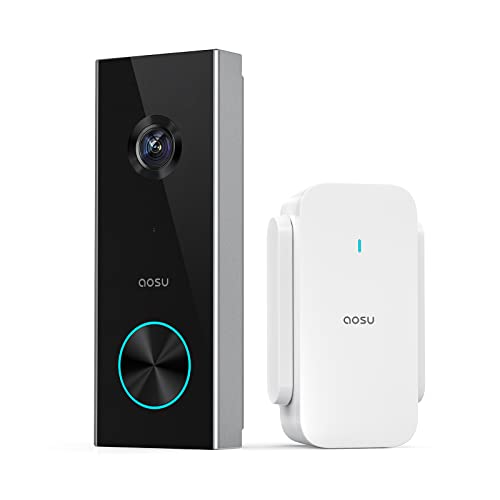
Pros
- 2K resolution with 166° ultra-wide view
- AI human detection reduces unnecessary alerts
- Local storage without a subscription
- Two-way talk with quick replies
- Included base adds Wi-Fi and chime
Cons
- 2.4 GHz Wi-Fi only, no 5 GHz support
- MicroSD card sold separately
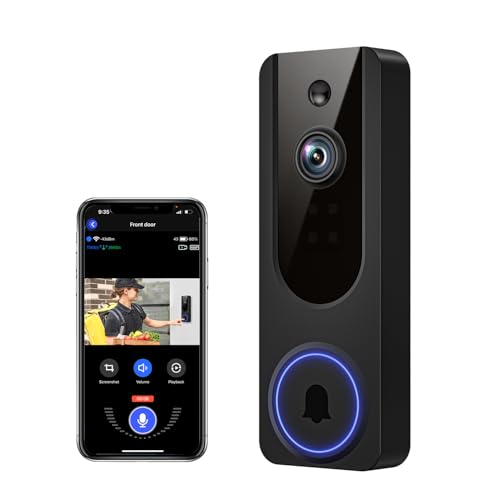
Pros
- AI human detection filters unnecessary motion alerts
- 1080p video with four-LED night vision
- Two-way audio from a smartphone
- Encrypted cloud storage with AES-128
Cons
- 2.4GHz WiFi only
- Cloud subscription required for recording storage
Subscription-Free Features That Matter
A no-subscription claim does not mean every service is free. BOIFUN, SwitchBot, aosu, Wyze, and VanaOrbi all retain useful core functions without a plan, but their storage arrangements differ. Local microSD storage is especially useful if you want recorded clips available without cloud access.
BOIFUN provides human detection, motion alerts, playback, and two-way audio without a subscription, while supporting microSD cards up to 128GB. SwitchBot includes a 4GB SD card and supports cards up to 512GB, and aosu combines local storage with an included base that also acts as a chime and Wi-Fi aid.
Cloud terms deserve careful attention. Blink identifies its person detection as requiring a compatible subscription, while VanaOrbi keeps core alerts, human detection, and two-way audio available without one but requires cloud service for live viewing and replaying recorded video.
Pro Tip: Choose local storage when you want recordings to remain available without relying on a cloud plan.
Battery, Chime, and Connection Choices
Wireless installation is convenient, but each power design creates a maintenance routine. Blink uses three AA Energizer lithium batteries and describes months of operation, Wyze offers up to six months or AC hardwiring, and BOIFUN uses a built-in rechargeable battery with laboratory life of up to 60 days under specified activity.
A separate indoor receiver can change how practical a doorbell feels. SwitchBot includes a powered 4.3-inch monitor, while aosuBase Mini provides an indoor digital chime. Blink can use existing wiring for an in-home ring, but a completely wire-free setup sends alerts through its app.
Connection limits should match the mounting location. BOIFUN and aosu require 2.4GHz Wi-Fi, while SwitchBot uses a monitor with an integrated repeater for a 2.4GHz connection. If your door is far from the router, read why a doorbell camera keeps disconnecting before choosing a placement.
| Connection style | Storage approach | Best placement |
|---|---|---|
| 2.4GHz Wi-Fi | Local microSD | Near reliable router |
| Monitor-assisted | Included or expandable SD | Within five metres |
| Cloud-dependent features | Optional subscription | Strong internet signal |
Before You Mount It: A battery doorbell is not automatically weatherproof or continuously powered. Check the stated weather protection and charging method, and do not place it where a cable can become a trip hazard or where the camera cannot be removed safely for charging.
Field of View and Night Visibility
Wide coverage helps when packages sit close to the threshold. BOIFUN and aosu list 166-degree views, SwitchBot lists 165 degrees with a head-to-toe format, and Wyze uses a 150-by-150-degree view. Blink emphasizes a head-to-toe 2K view, which can be useful when the camera angle needs to include both faces and deliveries.
Night performance also varies by approach. BOIFUN uses HDR with invisible 940nm infrared illumination, SwitchBot offers color night vision, Wyze uses a starlight sensor for vivid low-light color, and VanaOrbi uses four IR LEDs. A wide lens still needs a clear line of sight, so use the advice on angling a video doorbell down when packages are hidden below the frame.
Person detection can reduce unnecessary notifications, but motion zones and sensitivity remain important. BOIFUN specifically notes that narrowing detection zones or avoiding high-traffic areas can extend battery life, while aosu highlights AI human detection for filtering non-person motion.
Expert Examined
From Dana Whitfield

I keep seeing the same mistake with wireless doorbells: the owner chooses a wide view but mounts it where a wall or overhang blocks the lower frame. I would first confirm that faces and packages appear together, then adjust the angle and motion area before finalizing the mount.
Read more about Dana WhitfieldWhich Doorbell Fits Your Home
I would point renters toward the video doorbell category when comparing fully wireless options, especially the Blink Battery Doorbell 2K+ (newest model). Its battery installation takes minutes, it supports two-way audio with noise cancellation, and its IP65 weather-resistant design suits buyers who want a straightforward app-first setup. Remember that person detection requires a compatible subscription.
For a household prioritizing local storage and broad porch coverage, I would choose the BOIFUN Video Doorbell Camera. Its 166-degree view, HDR night vision, human detection, built-in anti-theft alarm, and support for microSD storage cover the core needs without a required plan. Its built-in rechargeable battery means you should plan for periodic charging.
I would put the SwitchBot Video Doorbell Camera in a home where an indoor screen matters. The 4.3-inch monitor can show live or recorded video, includes a 4GB SD card, and supports conversations or quick responses from inside. Keep the monitor and exterior doorbell within the stated five-metre radius for a strong connection.
The Bottom Line
The mistake most buyers make is treating “no subscription” as a complete storage promise. Some models keep alerts and two-way audio free while reserving cloud recording, replay, or enhanced detection for a paid service.
If you only do one thing first, decide whether you need recordings stored locally. That answer will quickly narrow the choice between a doorbell with microSD support, a monitor with included storage, or a model whose advanced history depends on cloud service.
FAQs
Wide-angle cameras with head-to-toe framing suit porches where visitors and packages need to appear together. HDR, color night vision, starlight sensing, and infrared are different approaches to low-light visibility, so match the feature to the lighting around your entrance. Mount it where faces and packages remain visible without a wall, railing, or overhang blocking the lower frame. Check the viewing angle after mounting and use a corner plate or downward adjustment when the doorway position requires it. Maintenance depends on the battery format, motion activity, Wi-Fi conditions, and recording length. Built-in rechargeable models need periodic removal for charging, while replaceable battery models require spare cells; actual runtime can vary from the stated conditions. IP65 is an ingress protection rating associated with resistance to dust and water jets, but it does not mean every installation condition is suitable. Follow the product mounting instructions and keep charging connections protected from exposure.Which doorbell camera sensor type suits a porch?
Where should I mount a wireless video doorbell?
How often do wireless doorbells need charging?
What does IP65 mean for a doorbell camera?
Sources
- UL Solutions www.ul.com
- US Consumer Product Safety Commission www.cpsc.gov
- US Fire Administration www.usfa.fema.gov