
Shopping for the best video doorbells for Google Nest means deciding whether you want a Google-first experience or a camera that also fits other smart-home systems. Your existing doorbell wiring, preferred storage method, and need for a wide head-to-toe view will narrow the field quickly.
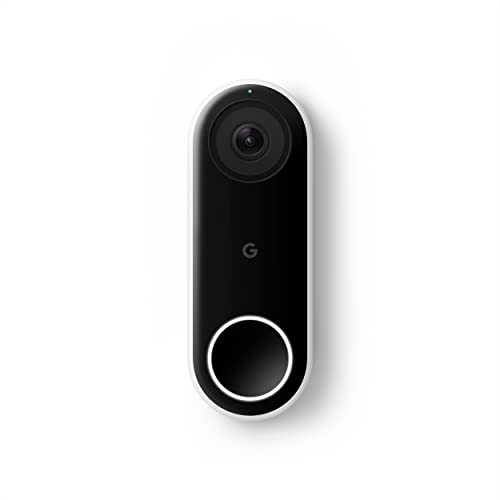
Pros
- 24/7 streaming with three-hour snapshot history
- Person alerts without requiring a doorbell ring
- HDR video and night vision
- 4:3 view shows people and packages
Cons
- Hardwired installation required
- Requires Nest app, not Google Home
- Chime sold separately
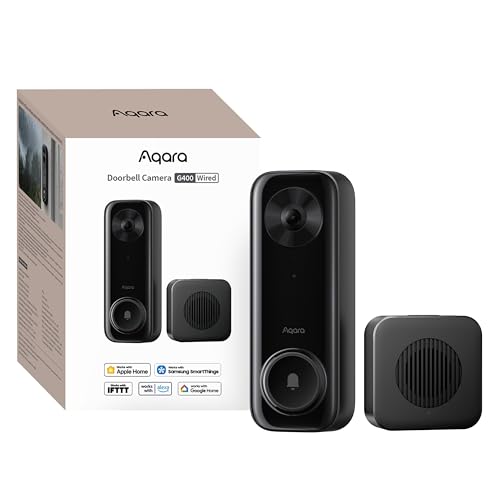
Pros
- 2K video with 165-degree head-to-toe view
- Local person and zone intrusion detection
- HomeKit, Alexa, Google, and SmartThings support
- PoE or 8–24V wired power options
Cons
- Requires wired power or PoE installation
- HomeKit needs iCloud+ and an Apple home hub

Pros
- 2K head-to-toe video
- Color night vision
- Package and visitor notifications
- 24/7 local recording via microSD
Cons
- Hardwired only, existing wiring required
- MicroSD card sold separately

Pros
- MmWave radar for more accurate human detection
- 2K wide-angle video with 2-way audio
- Built-in Zigbee and Matter hub
- HomeKit Secure Video and major ecosystem support
Cons
- HomeKit limits resolution to 1600×1200
- MicroSD card for local storage not included
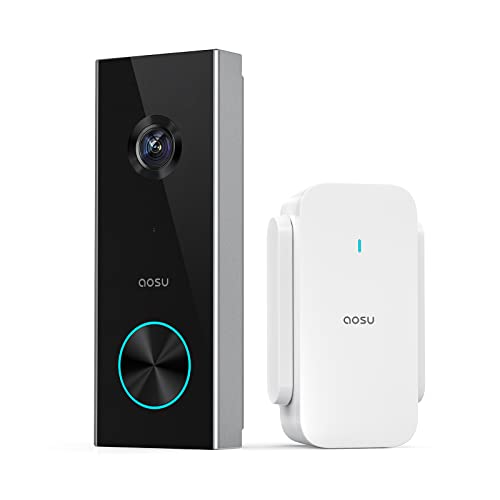
Pros
- 2K resolution with 166° ultra-wide view
- AI human detection reduces unnecessary alerts
- Local storage without a subscription
- Two-way talk with quick replies
- Included base adds Wi-Fi and chime
Cons
- 2.4 GHz Wi-Fi only, no 5 GHz support
- MicroSD card sold separately

Pros
- 2K HDR video with color night vision
- Expanded 166° field of view
- No battery charging or replacement
- Encrypted video and two-step verification
Cons
- Wired installation requires an existing circuit
- Gemini features require Google Home Premium
Start With the Wiring and Power
Wired models suit homes with existing doorbell wiring and provide continuous power. The Google Nest Doorbell (Wired) requires the Nest app, while the Google Nest Doorbell (Wired, 3rd Gen) – 2K Video works with Google Home and is designed around that newer ecosystem.
The Aqara Doorbell Camera G400 with Chime, Wired/PoE adds another installation route because it can use PoE or existing 8–24V AC/DC wiring. WYZE Wired Doorbell Camera v2 also requires existing wiring, with a stated 16–24V AC requirement, so check the transformer before mounting anything.
Before You Mount It: Do not connect a wired doorbell until you have confirmed that the existing wiring and transformer match the product requirements. Turn off power at the appropriate breaker before handling doorbell conductors.
If you do not want to depend on doorbell wiring, the aosu 2K Wireless Doorbell Camera with aosuBase uses a battery-powered camera and an included base that acts as a Wi-Fi extender, storage location, and indoor chime. It requires 2.4 GHz Wi-Fi, not 5 GHz.
Match the View to Your Porch
A tall 4:3 or 3:4 view can show a visitor from head to toe while keeping packages near the threshold in frame. That matters more than a wide landscape image if your camera sits close to the door or faces a narrow landing.
The G400 offers a 165-degree head-to-toe view, while the aosu model offers 166 degrees with a 4:3 ratio. The newer Google Nest model lists a 166-degree field of view and 2K HDR video. If the mounting angle is awkward, these doorbell angle instructions can help you avoid losing the area below the lens.
| Camera type | Key viewing feature | Best placement |
|---|---|---|
| Google Nest wired | 4:3 or 166° view | Existing wired entry |
| Aqara wired | 2K head-to-toe | Wired or PoE porch |
| Battery wireless | 166° 4:3 view | Entry without wiring |
Night visibility also varies by approach. Google’s wired models list night vision, the G400 uses 940nm infrared LEDs, WYZE lists color night vision, and the aosu model emphasizes 2K clarity rather than a named night-vision mode in the supplied specifications.
Choose Storage and Smart-Home Compatibility
Storage is a major dividing line. WYZE supports continuous local recording with a microSD card, the G400 supports continuous recording to a card up to 512GB and NAS backup, and the G410 supports a card up to 512GB with the slot located inside its chime.
The aosu model supports a microSD card up to 128GB without requiring a subscription, while optional cloud storage remains available. Google’s older wired model provides 24/7 streaming and a three-hour snapshot history, with Nest Aware sold separately for package detection and additional alerts.
Compatibility deserves equal attention. The G410 supports Apple Home, Matter, Alexa, Google Assistant, SmartThings, and Home Assistant. The G400 supports HomeKit Secure Video, Alexa, Google Assistant, and SmartThings, while both WYZE and aosu list Alexa and Google Assistant support. For more HomeKit choices, see these HomeKit doorbell camera options.
Pro Tip: If local recording matters, confirm whether the microSD card is included, where it is installed, and whether cloud storage is optional or required for a particular alert feature.
Expert Examined
From Ray Okafor

I keep seeing doorbell purchases derailed by storage assumptions. A buyer expects every alert and recording to stay available without a plan, then discovers that advanced detection or longer history follows a separate service. Decide where footage should live before choosing the camera.
Read more about Ray OkaforMake Alerts Useful at the Front Door
Person detection can reduce notifications caused by passing objects, pets, or changing light. The original Google wired model distinguishes people from things, the G400 uses local person recognition and zone intrusion detection, and the G410 adds mmWave radar and local face recognition.
Privacy features differ as well. The G410 stores face data locally and offers privacy masking, while the G400 offers local detection and a voice-changing intercom. WYZE includes voice deterrence, and aosu provides quick replies and a voice changer for conversations with unfamiliar visitors.
For package visibility, the original wired Nest model can add package detection through Nest Aware. The G400 lists cloud package identification, while WYZE lists package notifications. If reliability is your concern, review common causes in doorbell camera connection troubleshooting.
Which Doorbell Fits Your Home
I would point Google households with existing wiring toward the Google Nest Doorbell (Wired) if continuous streaming, person alerts, HDR video, and the Nest app fit their routine. It is the straightforward choice for someone who wants a dedicated Google-connected doorbell and accepts the separate app requirement.
I would put the Google Nest Doorbell (Wired, 3rd Gen) – 2K Video at a newer Google Home entry where 2K HDR, color night vision, an expanded 166-degree view, and enhanced intelligent alerts matter. Google Home Premium is required for its Gemini features, so consider that service dependency before buying.
For a home that mixes platforms or prioritizes local footage, I would choose the Aqara Doorbell Camera G400 with Chime, Wired/PoE. Its PoE option, 2K head-to-toe view, microSD recording, NAS backup, HomeKit support, and compatibility with Alexa, Google Assistant, and SmartThings make it especially flexible. For a wiring-free entrance, I would instead choose the aosu 2K Wireless Doorbell Camera with aosuBase, because its battery format and included base avoid a new wired run while retaining local storage.
The Bottom Line
The mistake most buyers make is treating every Google-compatible doorbell as a Nest doorbell. Compatibility with Google Assistant or Google Home does not mean the same app, recording history, alert system, or subscription structure.
First, identify your power setup and decide whether footage must remain local. Then compare the view, detection method, and smart-home support that remain after those two requirements are settled.
FAQs
A Google-branded wired Nest model offers the most direct Nest experience. Other models may support Google Assistant or Google Home while using their own apps and storage systems, so check the stated ecosystem support before choosing. Mount it where faces and packages remain visible without being blocked by the door swing, trim, or a nearby wall. A 4:3 or 3:4 view can help show both visitors and items near the threshold, and an angle wedge may improve the view. Wired doorbells depend on the electrical setup that powers them, so they may stop operating if that source fails. Wireless models avoid doorbell wiring but require battery attention, and local recording still depends on the camera and storage hardware remaining powered. IP65 is an enclosure rating indicating protection from dust and water jets under the relevant rating conditions. It does not mean the device can be submerged, and installation should still keep connectors and wiring protected as specified by the manufacturer.Which type of video doorbell works best with Google Nest?
Where should a video doorbell be mounted?
Do wired doorbells need maintenance during a power outage?
What does IP65 mean on a video doorbell?
Sources
- UL Solutions and Safety Standards. www.ul.com
- US Consumer Product Safety Commission and Home Safety. www.cpsc.gov