
Shopping for the best HomeKit video doorbells means settling the installation question first: do you have compatible wiring, or do you need a model that also supports PoE? The right choice depends on your entryway, Apple setup, and whether local recording matters more than a wider smart-home ecosystem.
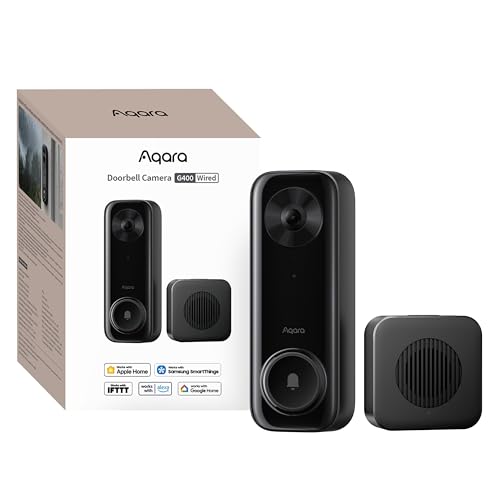
Pros
- 2K video with 165-degree head-to-toe view
- Local person and zone intrusion detection
- HomeKit, Alexa, Google, and SmartThings support
- PoE or 8–24V wired power options
Cons
- Requires wired power or PoE installation
- HomeKit needs iCloud+ and an Apple home hub

Pros
- MmWave radar for more accurate human detection
- 2K wide-angle video with 2-way audio
- Built-in Zigbee and Matter hub
- HomeKit Secure Video and major ecosystem support
Cons
- HomeKit limits resolution to 1600×1200
- MicroSD card for local storage not included

Pros
- 180° panoramic view from ground to ceiling
- 9MP Ultra HD with color night vision
- AI tracking and automatic subject framing
- Local storage with no monthly fees
Cons
- Wired installation required
- SD card for expansion is not included
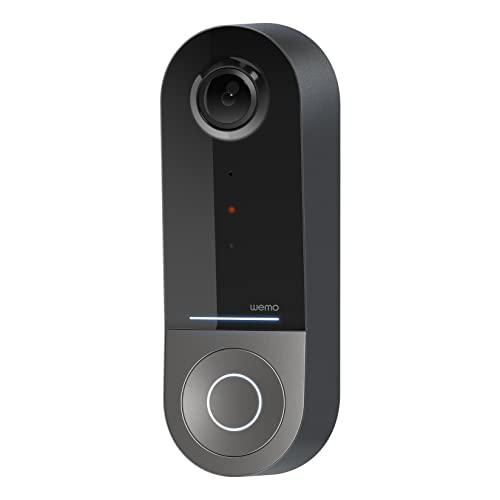
Pros
- 223° diagonal field of view
- Infrared video for dark conditions
- Apple HomeKit Secure Video support
- 2.4GHz and 5GHz WiFi bands
Cons
- Requires an existing 16-24V AC system
- Compatible only with Apple HomeKit
Start With the Doorway and Wiring
All four options are wired, but the power paths differ. The Wemo Smart Video Doorbell requires a wired 16 to 24V AC doorbell system, while the Aqara Doorbell Camera G400 with Chime, Wired/PoE can reuse 8 to 24V AC/DC wiring or use PoE. That makes the G400 the more flexible fit for a planned network installation.
Before choosing a model, inspect the existing doorbell wiring and the space around the frame. A wedge kit can help position the G400, while a broad field of view can reduce blind spots when the camera cannot face the approach directly. For more installation context, see this explanation of how to hardwire a video doorbell safely.
Before You Mount It: Do not assume a familiar doorbell transformer supports every wired camera. Confirm the listed power range and follow safe electrical practices before connecting a replacement.
Match the View to Your Approach
A tall, close-to-door view is useful for packages and visitors standing directly at the threshold. The G400 combines 2K video with a 165-degree field of view and a 3:4 aspect ratio, while the Aqara Smart Doorbell Camera G410 with Chime offers 2K wide-angle video.
The eufy Security 3K Wired Doorbell Cam S4 takes a different approach with a 180-degree by 180-degree panoramic view, 9MP resolution, color night vision, and AI auto-framing. Wemo lists a 223-degree diagonal field of view, which may suit an entryway where nearby side activity matters. Camera angle still affects what reaches the frame, so these doorbell angling tips are worth considering.
| View style | Notable feature | Suitable approach |
|---|---|---|
| Vertical wide view | G400 head-to-toe framing | Packages near door |
| Panoramic view | S4 auto-framing | Broad entry area |
| Wide diagonal view | Wemo broad coverage | Side activity |
Storage, Detection, and HomeKit Limits
HomeKit Secure Video is available across the listed models, but it is not a completely standalone storage plan. Aqara states that HSV requires an iCloud+ plan and an Apple home hub. Resolution can also be limited inside HomeKit, with the G400 listed at 1200p and the G410 at 1600 by 1200 when connected to Apple HomeKit.
Local storage separates the models in practical use. The G400 supports continuous recording to a microSD card up to 512GB and SMB-compatible NAS backup. The G410 stores a microSD card inside its indoor chime, while the eufy S4 includes 4GB of built-in eMMC storage and supports expansion up to 1TB. Its AI tracking, person detection, and auto-framing may appeal when following movement matters.
Expert Examined
From Ray Okafor

I keep the indoor chime and storage details on my installation checklist because doorbell cameras often fail as a household system when the card location or recording method is overlooked. Decide where footage should live before mounting the camera, then confirm the Apple hub and iCloud requirements.
Read more about Ray OkaforThe G410 adds mmWave radar for more accurate human-presence detection and local face recognition. The G400 offers local person recognition and zone intrusion detection, while the Wemo emphasizes HomeKit notifications, face recognition, and a 10-day motion-based recording history through iCloud.
For a broader look at Apple-compatible doorbells, compare these HomeKit doorbell camera considerations. Also remember that a doorbell chime is part of the experience, not just an accessory, especially if phones are not always nearby.
Which Doorbell Fits Your Home
I would point you to the Aqara Doorbell Camera G400 with Chime, Wired/PoE when you want the most installation flexibility from this group. Its AC/DC and PoE options suit an existing wired entry or a more deliberate network setup, and its head-to-toe view is well matched to a doorstep where packages sit below the visitor’s face.
I would choose the Aqara Smart Doorbell Camera G410 with Chime for an Aqara-centered home that needs a built-in Zigbee and Matter hub. Its mmWave radar, indoor microSD location, and local face recognition make it a practical choice when you want the doorbell to coordinate with other smart devices without adding a separate hub.
For a large approach where movement can spread across the frame, I would consider the eufy Security 3K Wired Doorbell Cam S4. Its panoramic view, color night vision, auto-tracking, and local storage focus make it the clearest fit for coverage and recording depth rather than the simplest Apple-only setup.
The Bottom Line
The mistake most HomeKit doorbell buyers make is treating HomeKit compatibility as the whole specification. Field of view, wiring, indoor chime placement, storage, and the resolution limits inside HomeKit can change how useful the camera feels at your actual door.
If you do one thing first, verify your existing power setup and measure the approach you need to see. Then select between the G400’s PoE flexibility, the G410’s built-in smart-home hub, the S4’s panoramic tracking, or Wemo’s straightforward HomeKit orientation.
FAQs
The G410 uses mmWave radar to detect human presence and reduce alerts from pets, wind, or shadows. The G400 adds local person recognition and zone intrusion detection, while the S4 uses AI detection and tracking. Match the detection style to the activity around your entry. Mount it where the camera can see faces and the area immediately below the door, while avoiding a view dominated by the wall or frame. A wedge can improve the G400’s position, and a wide-view model can help when the approach is off-center. Keep the lens clear and check that the wired connection remains secure. If you use local recording, inspect the microSD or built-in storage arrangement and confirm that recordings are being retained as expected. It allows compatible video recording, encrypted storage, and notifications through Apple devices. Aqara states that an iCloud+ plan and an Apple home hub are required, and HomeKit can limit the displayed resolution on its doorbells.Which HomeKit doorbell sensor type should I choose?
Where should a wired HomeKit doorbell be mounted?
Do these HomeKit doorbells need maintenance?
What does HomeKit Secure Video compatibility mean?
Sources
- Apple HomeKit Secure Video documentation www.apple.com
- UL Solutions smart home safety resources www.ul.com