
Shopping for the best video doorbells for apartments means solving a placement problem before chasing resolution: you need a camera that fits a shared hallway, rental rules, or a narrow entry. Wireless installation, local storage, and battery maintenance matter most for renters and condo owners who cannot alter building wiring.

Pros
- 2K HD video with 166-degree wide view
- No subscription for alerts and playback
- HDR night vision up to 10 meters
- MicroSD storage support up to 128GB
Cons
- 2.4 GHz Wi-Fi only
- Built-in battery is non-removable

Pros
- Head-to-Toe 2K video resolution
- Three AA lithium batteries included
- Two-way audio with noise cancellation
- IP65 weather-resistant design
Cons
- Person detection requires a separate subscription
- Three AA batteries eventually need replacement

Pros
- 2K video with 165° head-to-toe view
- Color night vision for dark entrances
- 4.3-inch monitor with quick response button
- Free 4GB SD card, no subscription
Cons
- Indoor monitor requires a power cable
- Best connection within 5 metres

Pros
- 1:1 head-to-toe view, 150° × 150° coverage
- 1536x1536 HD+ video with color night vision
- Wire-free or AC hardwired installation
- Two-way audio and visitor auto-responses
Cons
- Chime options sold separately
- Micro SD card sold separately
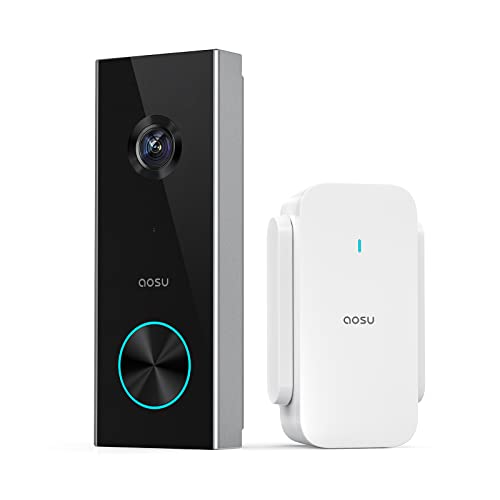
Pros
- 2K resolution with 166° ultra-wide view
- AI human detection reduces unnecessary alerts
- Local storage without a subscription
- Two-way talk with quick replies
- Included base adds Wi-Fi and chime
Cons
- 2.4 GHz Wi-Fi only, no 5 GHz support
- MicroSD card sold separately
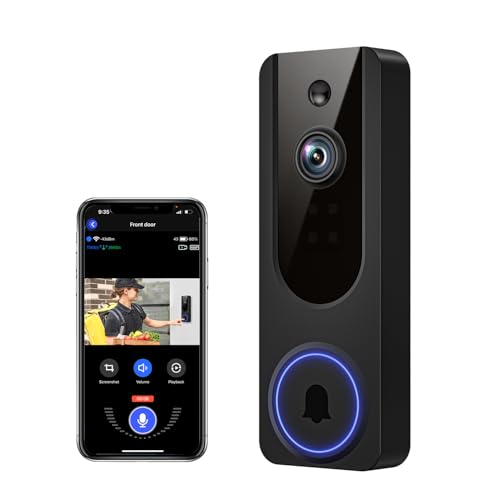
Pros
- AI human detection filters unnecessary motion alerts
- 1080p video with four-LED night vision
- Two-way audio from a smartphone
- Encrypted cloud storage with AES-128
Cons
- 2.4GHz WiFi only
- Cloud subscription required for recording storage
Start With the Doorway, Not the Camera
Apartment entrances often have less room than a detached home’s porch. Measure the mounting area, check whether the lens will face a shared corridor, and confirm that the building allows a doorbell camera before choosing a wide-angle model. A broad view can capture more of the threshold, but it may also include neighbors’ doors and passing residents.
For renters, a no-drill installation is especially useful. BOIFUN describes quick wireless setup, while Wyze supports an installation in minutes and includes mounting hardware. If the door faces a busy walkway, set motion zones or sensitivity carefully so ordinary foot traffic does not create constant alerts.
Pro Tip: Measure the doorframe and the camera’s viewing direction first. A wide field of view is useful only if it does not point mainly at a wall or shared hallway.
Match the View to Packages and Visitors
Head-to-toe framing helps when deliveries sit close to the door. SwitchBot lists a 165° view with a 16:9 head-to-toe format, while aosu and BOIFUN list 166° views. Wyze uses a 1:1 view with a 150° by 150° field of view, giving the frame a different shape for close doorstep coverage.
Resolution is only one part of recognition. BOIFUN, Blink, SwitchBot, and aosu list 2K video, while Wyze lists 1536×1536 HD+ and VanaOrbi lists 1080p. Night visibility also varies by feature description, from BOIFUN’s invisible 940 nm infrared to Wyze’s color night vision and SwitchBot’s color night vision.
| View priority | Useful feature | Apartment fit |
|---|---|---|
| Head and package coverage | 2K or square view | Close threshold |
| Shared corridor control | Motion zones or sensitivity | Busy hallway |
| Local recording | microSD support | Subscription-free use |
For more precise positioning, see these instructions on angling a video doorbell down. The goal is to keep faces and parcels in frame without aiming into spaces that do not belong to your household.
Power, Wi-Fi, and Storage Need a Plan
Battery format affects maintenance. Blink uses three AA Energizer lithium batteries and describes months of battery power. Wyze lists up to six months of battery life, while BOIFUN describes laboratory battery performance of up to 60 days under specified activity. Actual battery life can vary with motion and environment.
Wi-Fi compatibility deserves attention in apartments with crowded networks. BOIFUN, aosu, and VanaOrbi support 2.4 GHz Wi-Fi only. SwitchBot uses a monitor with an integrated 2.4 GHz repeater, and the monitor should stay close to the exterior doorbell for a strong connection. A weak signal can cause missed alerts, so review these common doorbell disconnection causes before mounting.
Local storage can reduce dependence on a cloud plan. BOIFUN supports microSD cards up to 128GB, aosu supports up to 128GB, SwitchBot includes a 4GB SD card and supports up to 512GB, and Wyze supports up to 256GB with a card sold separately. Blink’s person detection requires a compatible subscription, so separate essential alerts from optional services.
Before You Mount It: A doorbell camera can record shared spaces. Check your lease, condo rules, and local privacy expectations, and avoid assuming that a battery-powered device is automatically permitted.
Indoor Alerts and Privacy Features Matter
A chime is valuable when your phone is muted or you are in another room. The BOIFUN package includes a chime, aosu’s Base works as an indoor digital chime, and SwitchBot includes a 4.3-inch color monitor. Wyze offers flexible chime options, but its listed chime accessories are sold separately.
Two-way audio is available across the products, though the supporting features differ. BOIFUN includes human detection and optional local storage, aosu adds quick replies and a voice changer, and SwitchBot can work without the internet for certain household situations. Those details can matter more than a small difference in image resolution when visitors need instructions at a shared entrance.
Expert Examined
From Dana Whitfield

I keep the most attention on the first battery check and the first week of alerts. The mistake I see is mounting a doorbell at the edge of a busy corridor, then blaming the camera for notifications caused by every passerby. Narrowing detection areas early usually makes the device more practical.
Read more about Dana WhitfieldBefore relying on a product’s privacy or safety claims, read its current documentation and building policy. UL Solutions explains how its safety information and marks should be interpreted, but the supplied product details do not identify a certification for any of these six doorbells.
Which Doorbell Fits Your Apartment
I would point renters toward video doorbell options for renters such as the Blink Battery Doorbell 2K+ (newest model), especially when a wire-free installation and battery flexibility matter. Its 2K view, head-to-toe framing, person detection, and IP65 weather resistance suit an exterior entry, though person detection requires a compatible subscription.
I would choose the SwitchBot Video Doorbell Camera for an apartment where an indoor screen is more useful than a phone-only alert. The 4.3-inch monitor, 5000 mAh battery, 2K head-to-toe view, included 4GB SD card, and 2.4 GHz repeater create a strong indoor-control setup, provided the monitor can stay within the recommended distance of the exterior doorbell.
For a subscription-conscious household, I would consider the BOIFUN Video Doorbell Camera. It keeps human detection, motion alerts, two-way audio, and playback available without a subscription, supports local microSD storage, and includes a chime. Its 2.4 GHz-only connection makes router placement worth checking first.
The Bottom Line
The biggest apartment-doorbell mistake is choosing by resolution alone. A 2K image cannot compensate for a blocked view, weak 2.4 GHz signal, unsuitable mounting permission, or a battery that is difficult to recharge.
If you do only one thing first, stand where the doorbell will sit and map its view toward the floor, visitor’s face, and package area. Then confirm the building rules and select the power, storage, and indoor-alert setup that fits that exact entrance.
FAQs
A head-to-toe or square view can help capture both faces and packages close to the threshold. Wide-angle models may cover more of a narrow entry, but you should confirm that the frame does not unnecessarily include neighbors’ doors or a shared hallway. Mount it where the lens can see approaching visitors and packages without pointing mainly at a wall. Check lease or condo rules first, especially when the camera faces a shared corridor or another resident’s doorway. Battery life depends on motion activity, recording length, signal conditions, and environment. The listed models range from months of stated battery performance to BOIFUN’s laboratory estimate, so plan to monitor alerts and recharge or replace the specified power source as needed. A certification mark should be verified against the issuing organization’s current information rather than assumed from a product description. The supplied details do not identify a certification for these models, so check the package and manufacturer documentation before relying on one.Which video doorbell view works best for an apartment door?
Where should an apartment video doorbell be mounted?
How often will a battery doorbell need attention?
What does a safety certification mean on a doorbell camera?
Sources
- UL Solutions www.ul.com
- US Consumer Product Safety Commission www.cpsc.gov