
Shopping for the best wireless video doorbells means deciding whether you value local storage, a dedicated indoor screen, or the simplest phone alerts. That choice matters most for renters, busy households, and anyone whose porch has weak Wi-Fi.

Pros
- 2K HD video with 166-degree wide view
- No subscription for alerts and playback
- HDR night vision up to 10 meters
- MicroSD storage support up to 128GB
Cons
- 2.4 GHz Wi-Fi only
- Built-in battery is non-removable

Pros
- Head-to-Toe 2K video resolution
- Three AA lithium batteries included
- Two-way audio with noise cancellation
- IP65 weather-resistant design
Cons
- Person detection requires a separate subscription
- Three AA batteries eventually need replacement

Pros
- 2K video with 165° head-to-toe view
- Color night vision for dark entrances
- 4.3-inch monitor with quick response button
- Free 4GB SD card, no subscription
Cons
- Indoor monitor requires a power cable
- Best connection within 5 metres

Pros
- 1:1 head-to-toe view, 150° × 150° coverage
- 1536x1536 HD+ video with color night vision
- Wire-free or AC hardwired installation
- Two-way audio and visitor auto-responses
Cons
- Chime options sold separately
- Micro SD card sold separately
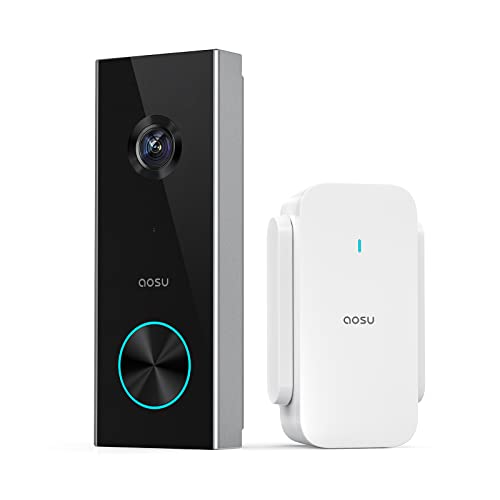
Pros
- 2K resolution with 166° ultra-wide view
- AI human detection reduces unnecessary alerts
- Local storage without a subscription
- Two-way talk with quick replies
- Included base adds Wi-Fi and chime
Cons
- 2.4 GHz Wi-Fi only, no 5 GHz support
- MicroSD card sold separately
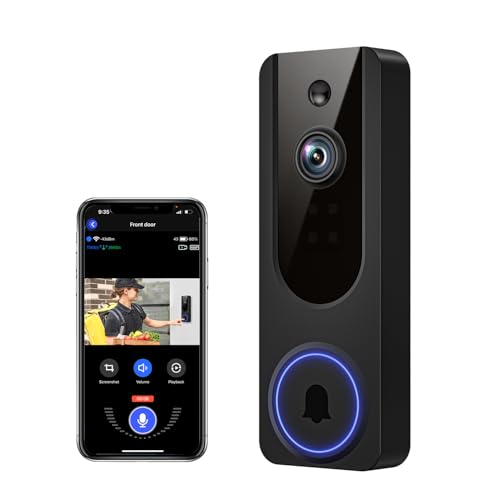
Pros
- AI human detection filters unnecessary motion alerts
- 1080p video with four-LED night vision
- Two-way audio from a smartphone
- Encrypted cloud storage with AES-128
Cons
- 2.4GHz WiFi only
- Cloud subscription required for recording storage
Start With the Connection You Can Support
Every model here uses a wireless setup, but the network requirements are not identical in practice. BOIFUN, aosu, and the SwitchBot exterior doorbell rely on 2.4 GHz connections, while the SwitchBot monitor also helps maintain the link between the indoor screen and the doorbell.
A dedicated chime or monitor can be more useful than a phone notification if people in the home do not carry a phone constantly. SwitchBot includes a 4.3-inch color monitor, while aosu includes a base that combines Wi-Fi help, storage support, and an indoor chime.
Pro Tip: Before mounting, stand near the intended doorbell location and confirm that your 2.4 GHz network reaches the entryway reliably.
If your current doorbell keeps dropping offline, review these practical causes of doorbell camera disconnections before blaming the camera itself.
Match the View to Your Porch
Wide viewing angles help when the camera sits close to a wall, while a head-to-toe format is valuable when deliveries land directly beneath the button. BOIFUN and aosu list 166-degree views, SwitchBot lists 165 degrees, and Wyze uses a 1:1 view designed to show visitors and packages together.
Resolution is only part of the decision. BOIFUN, Blink, SwitchBot, and aosu provide 2K-class detail, Wyze provides 1536×1536 HD+, and VanaOrbi provides 1080p. Night viewing also varies, from BOIFUN’s invisible 940 nm infrared to Wyze color night vision and VanaOrbi infrared LEDs.
| View priority | Useful feature | Suitable choice |
|---|---|---|
| Wide porch coverage | 166-degree field | BOIFUN or aosu |
| Indoor viewing | 4.3-inch monitor | SwitchBot |
| Package visibility | 1:1 head-to-toe view | Wyze |
For camera placement details, the advice on angling a video doorbell down can help you keep the doorstep in frame without losing faces.
Storage and Alerts Change the Ongoing Experience
BOIFUN keeps human detection, motion alerts, two-way audio, and playback available without a required subscription, with microSD support up to 128GB. SwitchBot includes a 4GB SD card and supports cards up to 512GB, while aosu supports local storage up to 128GB through its base, with optional cloud storage.
VanaOrbi keeps core alerts, human detection, and two-way audio available without cloud service, but cloud storage is tied to a subscription. Blink’s person detection requires a compatible subscription, and Wyze supports local recording with a separately purchased card, while its cloud option is associated with Cam Plus.
Before You Mount It: Do not assume a wireless doorbell includes a traditional indoor chime. Confirm the included hardware, then choose a model with a base, monitor, or compatible chime option if phone alerts alone are not enough.
Expert Examined
From Dana Whitfield

I keep seeing households mount a battery doorbell where passing cars or a busy walkway trigger constant alerts. Narrowing detection areas or lowering motion sensitivity can preserve battery life and make notifications more useful.
Read more about Dana WhitfieldBattery arrangements also deserve attention. Blink uses three AA Energizer lithium batteries, Wyze has a removable USB-C rechargeable battery or wired operation, BOIFUN uses a built-in rechargeable battery, and SwitchBot uses a 5000 mAh battery. Actual runtime depends on activity and surroundings, so a high-traffic porch needs more maintenance.
Which Doorbell Fits Your Home
I would point renters toward Blink Battery Doorbell 2K+ (newest model) when quick battery installation and months of power matter more than avoiding a subscription for person detection. Its head-to-toe 2K view, noise-canceling two-way audio, and IP65 weather resistance suit a straightforward front-door setup.
I would put SwitchBot Video Doorbell Camera in a home where an indoor screen is genuinely useful, especially for older family members or children who may not respond to phone alerts. The monitor, included 4GB card, 2K view, and operation without internet make it the most self-contained option here.
For a household focused on local recording and no required subscription, I would choose BOIFUN Video Doorbell Camera. Its 166-degree view, 940 nm night vision, anti-theft alarm, and support for a 128GB microSD card make it a sensible fit for a porch needing broad coverage and direct visitor communication.
The Bottom Line
The mistake most buyers make is treating every wireless doorbell as the same phone-first product. Storage rules, indoor ringing, Wi-Fi limits, battery design, and alert requirements can change how convenient the device feels after installation.
If you do only one thing first, identify whether you need local recording or a dedicated indoor chime. That single decision quickly narrows the field before you compare viewing angles, night vision, and battery maintenance.
FAQs
A head-to-toe view helps show both a visitor’s face and items placed near the door. Wide-angle models can also cover more of a porch, but the best choice depends on how close the camera sits to the entryway. Several models in this group require a 2.4 GHz network, including BOIFUN and aosu. Check the product requirements before mounting, especially if your router uses separate network names or has limited coverage near the door. There is no single interval because motion activity, recording length, and environmental conditions affect battery use. Models with rechargeable batteries need periodic charging, while Blink uses replaceable AA Energizer lithium batteries. An IP65 rating is specifically listed for the Blink model and indicates its stated protection against dust and water exposure. A rating should not be assumed for another model unless the manufacturer lists it for that product.Which video doorbell view is best for packages?
Do wireless video doorbells need 2.4 GHz Wi-Fi?
How often do wireless doorbell batteries need charging?
What does a weather-resistance rating mean?
Sources
- UL Solutions, Product safety resources. www.ul.com
- US Consumer Product Safety Commission, Home safety resources. www.cpsc.gov