
Shopping for the best security cameras with no monthly fee means deciding whether you need a single Wi-Fi camera or a coordinated system with wider coverage. The strongest fit depends on your property size, storage preference, and tolerance for battery maintenance.
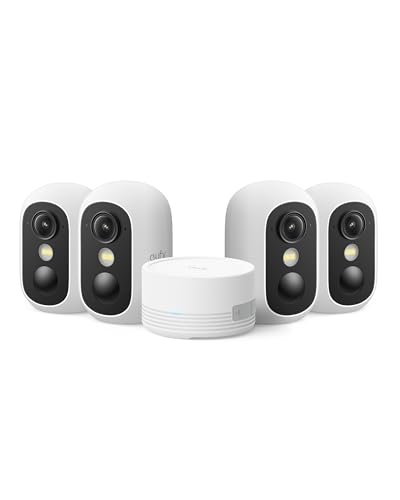
Pros
- Screw-free magnetic base for quick mounting
- Spotlight-free color night vision in darkness
- Local storage expandable up to 1TB
- IP67 weather resistance for outdoor use
- Facial recognition with zero subscription fees
Cons
- Incompatible with older HomeBase 2 systems
- Limited to 2.4 GHz Wi-Fi networks
- MicroSD card not included for standalone recording

Pros
- Pre-paired sensors require no initial manual syncing
- No mandatory monthly fees or subscription contracts
- Loud 120dB siren built into the touchscreen hub
- Dual 2.4GHz Wi-Fi and GSM cellular connectivity
Cons
- MicroSD card for video storage sold separately
- Cellular backup requires an independent SIM card

Pros
- 900MHz Wi-Fi HaLow, up to 1000ft line of sight
- Local 32GB base station, no monthly subscription fees
- True Detect+ AI senses heat, motion, people, and vehicles
- Night2Day color night vision plus infrared coverage
- Active deterrence with siren, sensor lights, and two-way talk
Cons
- Manual USB-C recharging required without optional solar panels
- Included MicroSD card limited to 32GB capacity
- Wireless range drops to 330 feet through obstacles
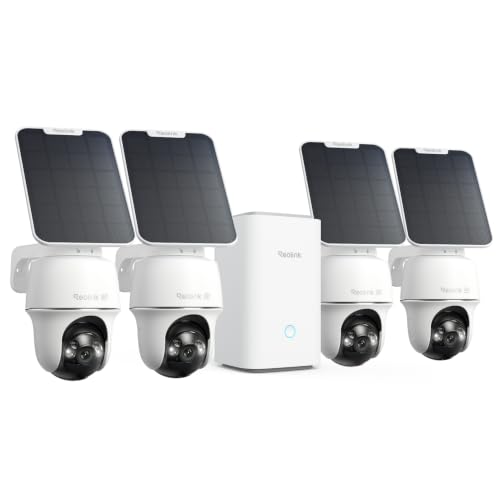
Pros
- Sharp 4K 8MP video with spotlight color night vision
- Wide 355-degree pan and 140-degree tilt coverage
- Dual-band 2.4GHz and 5GHz Wi-Fi flexibility
- Smart detection identifies people, vehicles, and animals
Cons
- MicroSD card not included for local storage
- Dependent on outdoor Wi-Fi signal reach
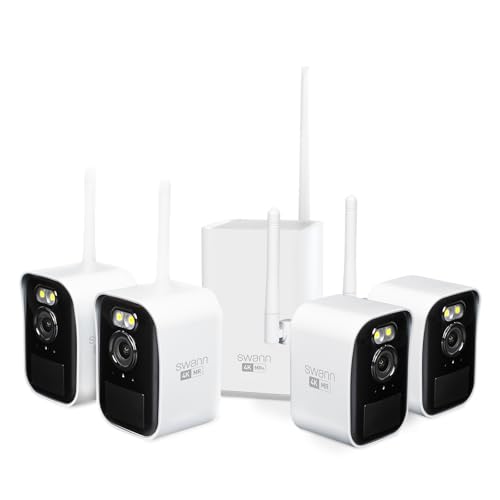
Pros
- Wi-Fi HaLow covers up to 1,000 feet line of sight
- 4K video capture with 50-foot color night vision
- Solar panels provide continuous outdoor power
- Free local storage on included 32GB microSD card
- True Detect plus senses heat, motion, and people
Cons
- Wireless reach drops to 330 feet through obstacles
- System expansion limited to 8 total cameras
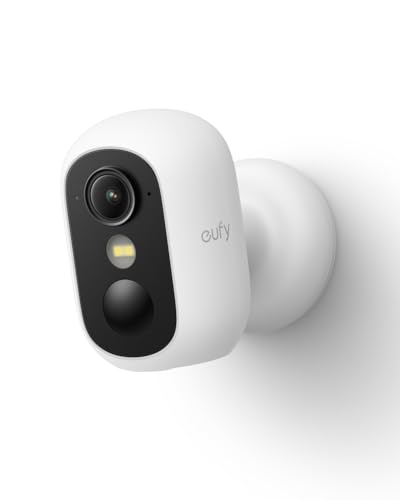
Pros
- Spotlight-free color night vision in total darkness
- Drill-free magnetic base mounts firmly to metal
- On-device AI detects people, vehicles, and pets
- Weatherproof IP67 enclosure suited for outdoor exposure
Cons
- MicroSD card not included with purchase
- Not compatible with eufy HomeBase 2
- Restricted to 2.4 GHz Wi-Fi frequencies
Match Coverage to the Property
A single camera can suit an entryway, nursery, garage, or small patio, while a multi-camera kit makes more sense for driveways, side yards, and several access points. Count the areas that need a clear view before choosing the number of cameras. Extra cameras are useful only when their wireless connection remains dependable.
For large properties, the Swann MaxRanger systems and the REOLINK Argus PT Ultra use Wi-Fi HaLow or a dedicated hub arrangement rather than relying only on ordinary household Wi-Fi. The Swann MaxRanger4K Mini Long-Range supports up to 1000 feet of line-of-sight range, while the REOLINK system offers pan and tilt coverage for changing viewing angles.
Pro Tip: Aim each outdoor camera at an approach path, not directly toward the sun. Leave enough view below the frame to identify movement near doors, gates, and vehicles.
Local Storage Is the Main Subscription Alternative
No monthly fee does not mean no storage planning. The eufy Security eufyCam C35 4-Cam Kit stores footage on its HomeBase Mini, which can expand up to 1TB, while the individual eufy Security Indoor/Outdoor Camera C35 uses a separately purchased microSD card. The PGST alarm system also requires a microSD card for camera recording.
Swann includes a base station and 32GB microSD card with its MaxRanger4K Mini Long-Range system, expandable to 512GB. The four-camera Swann MaxRanger Mini Kit includes 32GB local storage and supports recording for up to six months before rewriting. If evidence may matter later, consider how quickly motion events could fill the card.
| System type | Storage approach | Best placement |
|---|---|---|
| Single camera | microSD card | Entry or room |
| Hub camera kit | Central local storage | Multi-area coverage |
| Long-range kit | Base station storage | Large property |
Local recording also means the camera or hub needs protection from theft and weather. For broader context on recorded evidence, see how camera footage may be used in court.
Power, Night Vision, and Wireless Limits
Battery cameras reduce wiring, but they still need a charging plan. The Swann systems support USB-C charging and optional solar charging, while the eufy C35 cameras support solar panels. Solar compatibility can reduce routine charging, but placement still needs enough exposure and a stable connection.
Night vision varies in how it creates usable detail. Eufy emphasizes spotlight-free color night vision, while REOLINK uses spotlight color night vision and Swann combines color and infrared modes. A camera facing a dark driveway may benefit from color detail, but a quieter indoor location may favor illumination without a visible spotlight.
Before You Mount It: Do not rely on a camera alone for life-safety protection. Keep alarms and sensors maintained, protect local storage devices, and confirm that every camera still sends alerts after a Wi-Fi or power interruption.
The eufy C35 models use a 2.4 GHz Wi-Fi connection, while the REOLINK system supports both 2.4 GHz and 5 GHz. Thick walls, trees, and detached structures can change the practical result, so review your network path before fixing a camera permanently. The meaning of security camera status lights can also help identify connection or activity states.
Expert Examined
From Dana Whitfield

I keep local storage equipment indoors and away from the camera it serves. The mistake I see is mounting every camera first and discovering later that the signal, charging access, or viewing angle is poor, so I prefer checking those three points before tightening the mount.
Read more about Dana WhitfieldWhich System Fits Your Home
I would put the eufy Security eufyCam C35 4-Cam Kit on the shortlist for a household wanting four indoor or outdoor views, central local storage, facial recognition, and magnetic mounting. Its HomeBase Mini adds cross-camera tracking, while the cameras support color night vision without a spotlight.
I would point you to the REOLINK Argus PT Ultra 4K Solar Security Camera for a larger outdoor area where 4K detail, pan and tilt movement, and solar operation are priorities. For a property with difficult walls, ceilings, trees, or detached areas, the Swann MaxRanger4K™ Mini Long-Range is the more targeted choice because Wi-Fi HaLow is designed for extended coverage and its base station stores footage locally.
The Bottom Line
The mistake most buyers make is treating “no monthly fee” as the whole decision. Storage capacity, card availability, wireless range, nighttime lighting, and charging access determine whether the system remains useful after installation.
If you do only one thing first, map each camera location and confirm its power and network path. Then choose the smallest system that covers those points, with local storage sized for the motion activity you expect.
FAQs
Choose one camera for a focused location such as an entry or room. A multi-camera kit is better when you need several access points covered and want footage managed through a shared hub or base station. No. Solar-compatible cameras can reduce charging, but panel placement, sunlight, weather, and connection quality still matter. Check the camera periodically and keep the charging surface clear. Aim toward approaches, gates, doors, or driveways while avoiding direct glare. Confirm that the camera has a reliable wireless path and that local storage or the hub is protected indoors when possible. IP67 indicates a protection rating associated with dust resistance and temporary water immersion conditions. It does not remove the need for correct mounting, sealed connections, and following the manufacturer’s installation instructions. They can record locally without a recurring fee when the required card, hub, or base station is available. Some features may still depend on app access, network connectivity, or compatible accessories.Should I choose one camera or a multi-camera system?
Are solar security cameras maintenance-free?
Where should an outdoor security camera be mounted?
What does IP67 mean on a security camera?
Do local-storage cameras work without a subscription?
Sources
- UL Solutions and Security Camera Safety Information www.ul.com